
What is tap to order? NFC and QR ordering explained.
Tap to order is a way for guests to order from their own phone: they tap an NFC tag or scan a QR code at the table, bar or counter, the venue's menu opens in the phone browser with no app download, and the order goes straight to the kitchen display.
Or book a 15-minute call. Tap2Order is from $297 a month, no commission, setup fee waived through 2026.
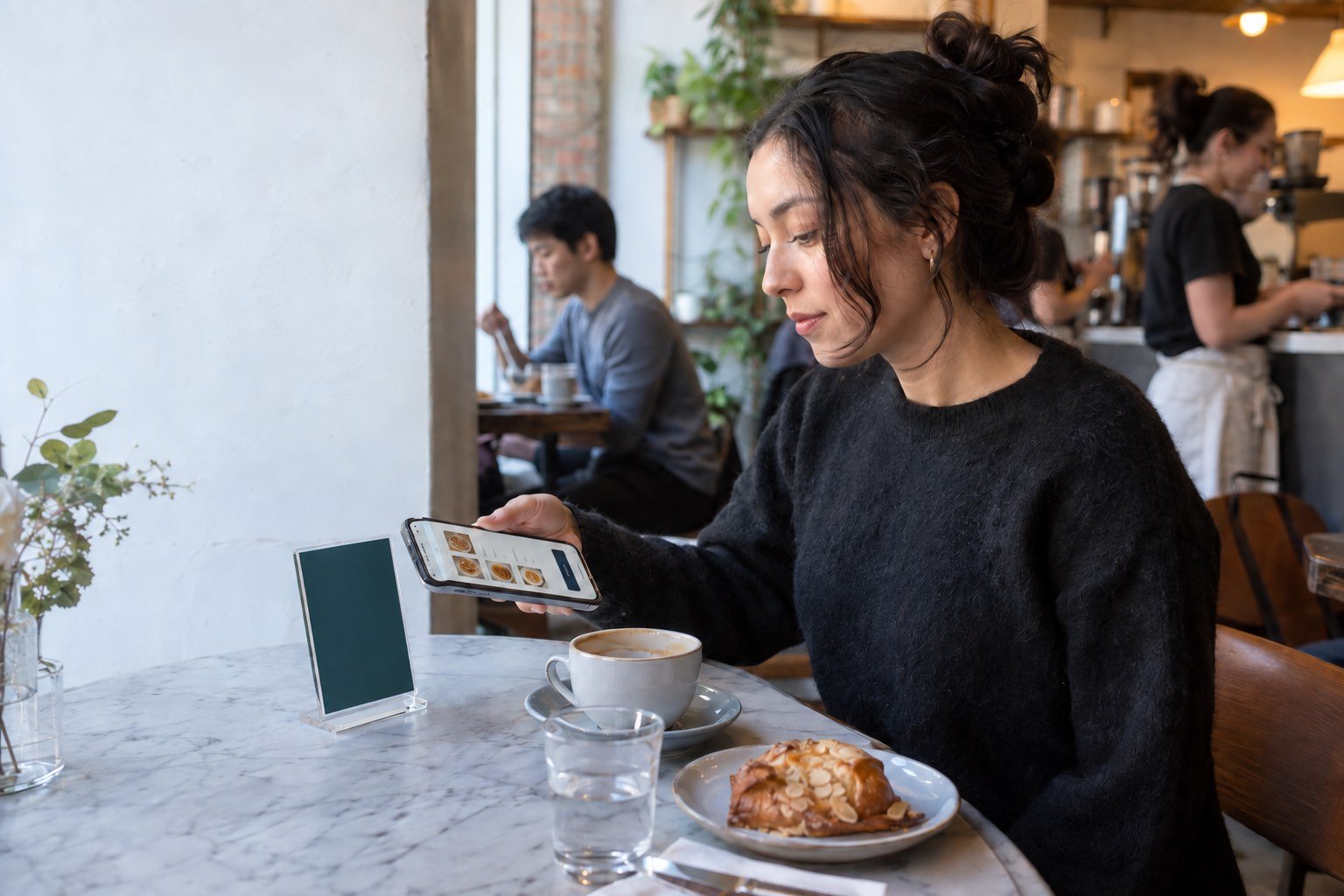
Tap to order, in plain terms.
Tap to order starts at a physical point in the venue: a table display, a bar-top card or a counter sign that holds an NFC tag and a printed QR code. The guest's own phone becomes the ordering device. Three traits set it apart:
- No app. The menu is a web page, so guests don't download anything or sign up.
- No kiosk. Guests use their own phones, not a screen or handheld the venue has to buy.
- Location built in. Each display points to a table, bar section or pickup point, so staff know where the order came from.
For the tap itself, read what NFC ordering is for restaurants.
How tap to order works, step by step.

Tap or scan
The guest holds a phone near the NFC tag, or points the camera at the QR code on the same display.
Menu opens in the browser
The venue's menu loads as a web page. No app store, no login, no account.
Guest builds the order
Sizes, modifiers and notes, then submit. The table or pickup point travels with the order.
Staff receive it
The ticket lands on the kitchen display, written out. The team makes it and brings it out or calls it for pickup.
Two ways in, one menu.
A good tap-to-order display carries both, so no guest gets stuck.
- The NFC tap. NFC is a short-range radio link that typically needs 4 cm or less, so the phone goes right up to the tag. Apple says iPhone XS and later read tags in the background and show a notification to open. Android reads tags when the screen is unlocked and NFC is on, per Android's NFC basics.
- The QR scan. On iPhone you open Camera, frame the code and tap the link; many Android cameras do the same (Google says its QR mode is on selected devices). QR is the fallback when NFC is off, missing, or the guest doesn't know to tap.
- What the guest needs. A smartphone with a connection and a browser. Everyone else orders from staff.
The full comparison, phone by phone, is in NFC vs QR code ordering. For QR on its own, see the QR code ordering system guide.
Where tap to order fits best.
Anywhere guests wait to catch someone's eye.
- Bars and lounges: the next round from the table while bartenders keep pouring.
- Cafés: a second way to order when the line reaches the door.
- Restaurants: the extra drink, dessert or side without waiting for a server to pass.
- Food trucks: order from the line or a bench, collect at the window.
- Quick service: order from the queue or the dining room, with a clear pickup point.
- Breweries and taprooms: a changing tap list and patios staff can't reach in time.

What tap to order does well, and where it falls short.
Where it helps
- Guests order when they're ready. Nobody flags down a server for the second drink.
- Orders arrive written out. Items and modifiers as text, not shouted across a loud room.
- Menu changes in minutes. Prices and sold-out items update without reprinting.
- Staff time moves to service. Less order-taking, more making drinks and running food.
Where it falls short
- Not every guest wants it. Keep ordering from a person visible.
- It needs a signal. Test basements, patios and back rooms.
- It can move the bottleneck. If the kitchen is the slow step, faster ordering adds pressure there.
- Allergies and ID need a person. A note field is not an allergy protocol; see the order accuracy guide and the allergy workflow article.
Tap to order vs other ways to take orders.
| Method | Who enters the order | Hardware the venue buys | Best for |
|---|---|---|---|
| Server or bartender | Staff | POS terminal or handheld | Guided, personal service |
| Counter order | Staff at the till | POS terminal | Short lines, simple menus |
| Self-order kiosk | Guest, at a shared screen | Kiosk units | High-volume counters with floor space |
| Ordering app | Guest, after installing an app | None for guests | Repeat customers and loyalty |
| Tap to order (NFC + QR) | Guest, in the phone browser | Printed table displays | Tables, bars and lines where guests wait to order |
Most venues mix them: the first round in person, the second by tap. See the case for Tap2Order.
What to look for in a tap-to-order system.
Walk one real order from the table to the guest, then read the contract.
- NFC and QR on every display, and no app. One entry method, or a download, leaves guests out.
- Where orders land. Which screen, who acknowledges them, and does it run on devices you own?
- Menu control mid-service. Sold-out and price changes, by you, right away.
- Readable tickets. Sizes, add-ons and exclusions written out, and allergies routed to a person.
- The total cost. Subscription, setup, displays or hardware, card processing, and any per-order commission.
- Setup and a launch date in writing. Who places the displays, who trains staff, and what happens if it slips.
- The term. Minimum term, notice period and any fee for leaving early.
Comparing named platforms? Read Tap2Order vs Toast, Tap2Order vs Square and Tap2Order vs Bite.
About Tap2Order (taptoorder.co).
Tap2Order is a tap-to-order system for independent bars, cafés and restaurants, set up in person in New York City. Every order lands on a live kitchen and bar display in the staff portal, on any phone, tablet or laptop you already own. A Tap2Order team member places your displays and trains your staff: live within 7 days of your onboarding call, once we have your menu and venue details, or your next month is free. Plans are on the pricing page; terms in the FAQ.
The interactive demo is a sample venue you can try before talking to anyone. For NYC venues, see tap-to-order in New York City.
Tap to order FAQ.
Do guests need to download an app?
No. A tap-to-order menu runs in the phone's web browser. Guests don't install anything or create an account.
Does tap to order work on iPhone and Android?
Yes. iPhone XS and later and NFC-equipped Android phones read the tag; any phone with a camera can scan the QR code on the same display.
Is tap to order the same as QR code ordering?
QR code ordering is one half of it. Tap to order usually means one display with an NFC tag and a QR code that open the same browser menu.
Will tap to order replace my servers or bartenders?
No. It is an extra way to order for guests who want it. Staff still serve, answer questions, handle allergies and check ID.
What does a tap-to-order system cost?
Tap2Order's Essential Core is $297 a month with no per-order commission and no hardware to buy; the $599 setup fee is waived for venues that sign by December 31, 2026.
Keep reading.
See tap to order from the guest's side.
Place a sample order and watch it land on the kitchen view. No signup.