Café ordering that keeps the morning line moving.
Café ordering for NYC coffee shops: guests in the line tap an NFC display or scan the QR code, order from their own phone with no app, and the ticket lands on the kitchen display by your espresso machine before they reach the counter. Your register and your regulars' chat at the counter stay.
Or book a 15-minute call. Flat from $297 a month however many lattes you sell, setup fee waived through 2026.
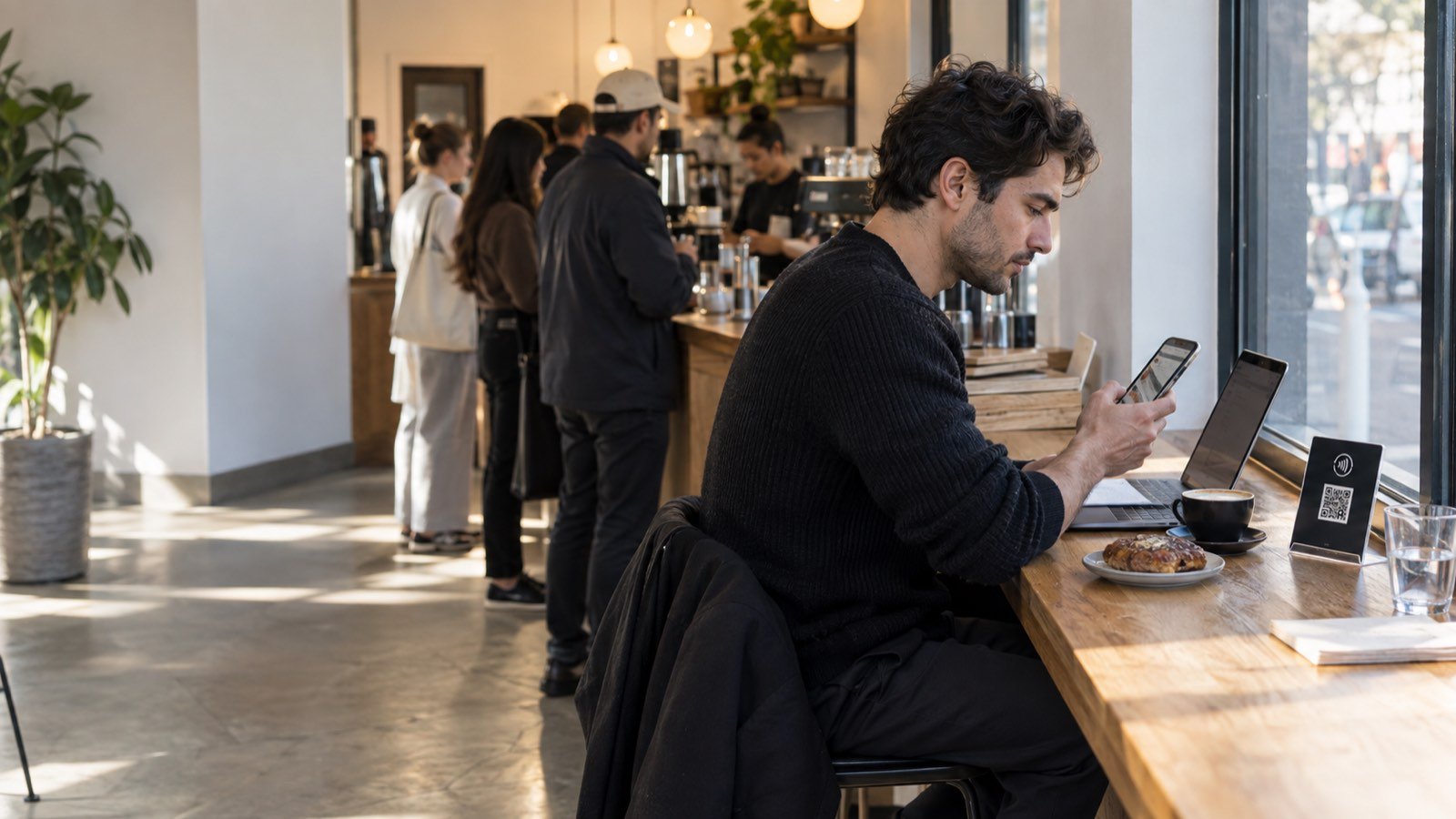
Tap-to-order in a café: how it works, and what baristas see.
The machine is rarely the bottleneck. The register is: one person taking payment, answering "is the oat milk extra?" and spelling names onto cups while three drinks wait to be pulled. Tap-to-order moves the deciding and the typing off the counter.
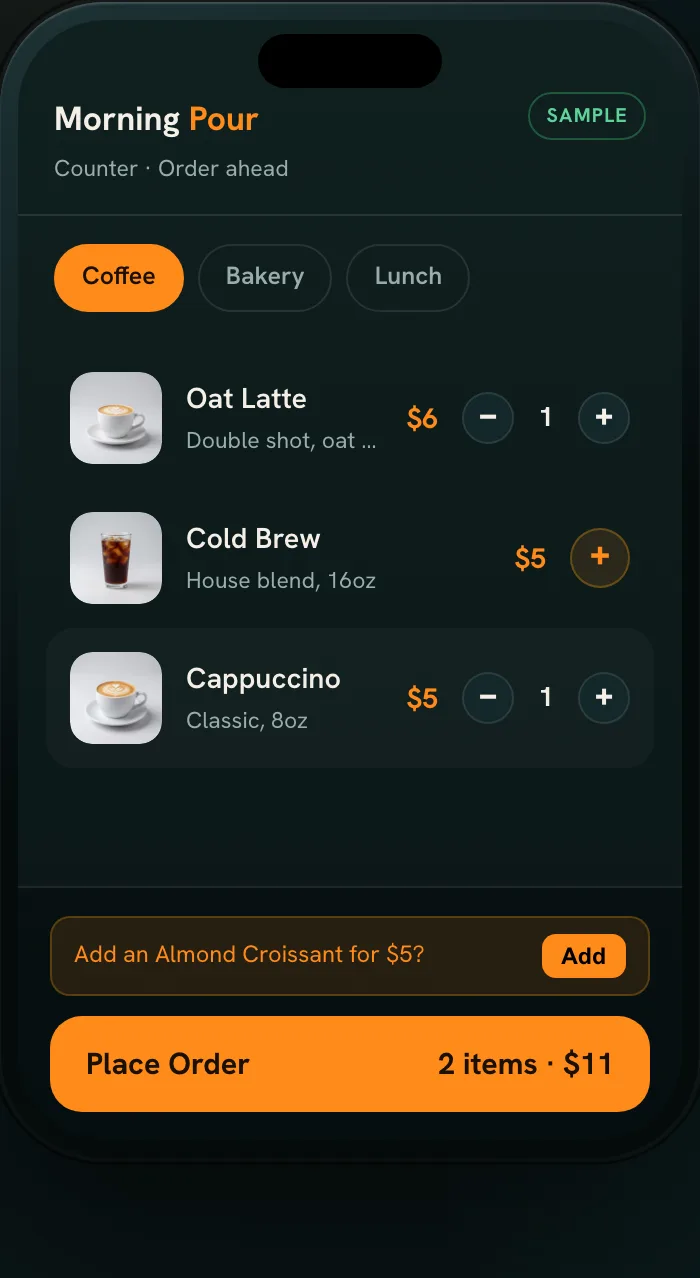
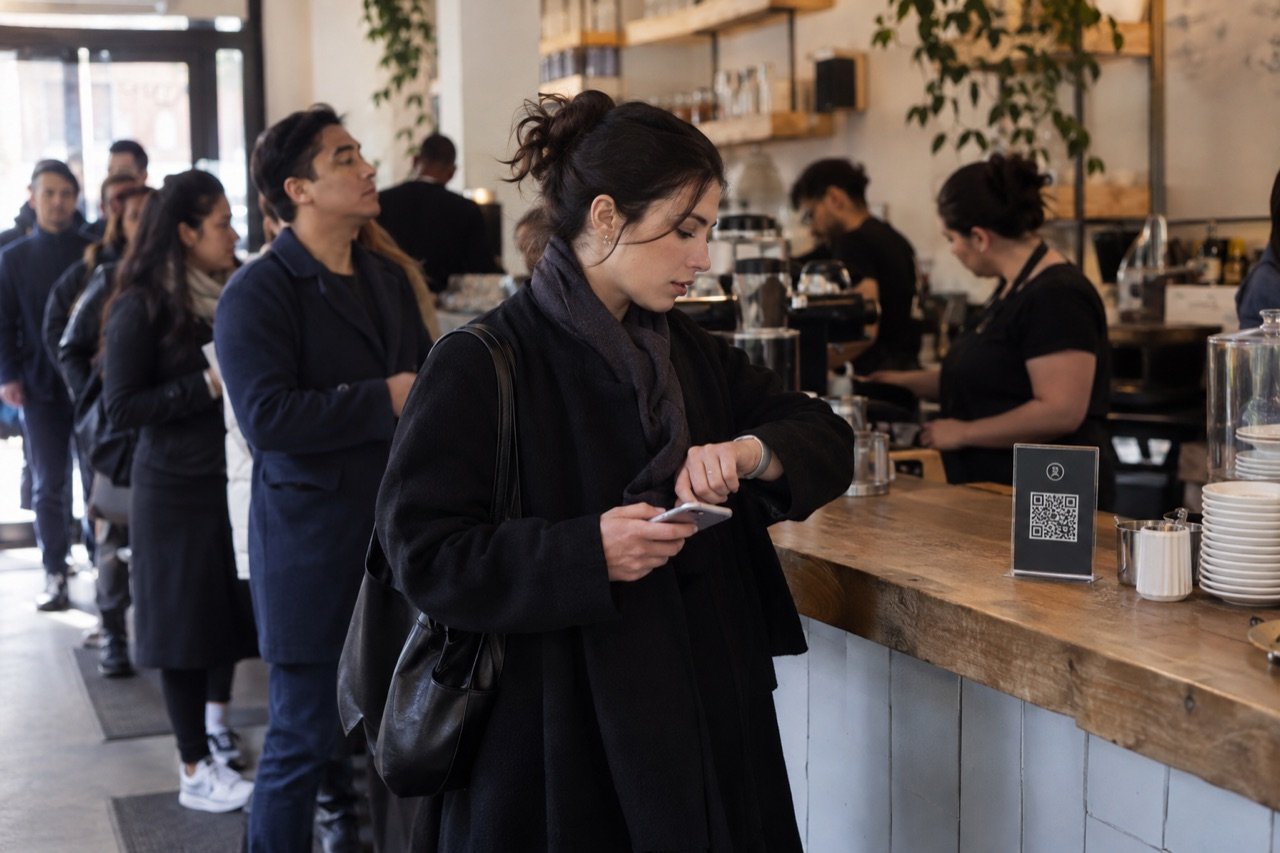
Tap or scan while waiting
NFC displays with a QR code sit by the door, along the line and on the tables, where guests decide what they want.
Build the drink
The café menu opens in the phone browser with no app and no account. Size, milk, shots, syrup and a pastry, all chosen by the guest.
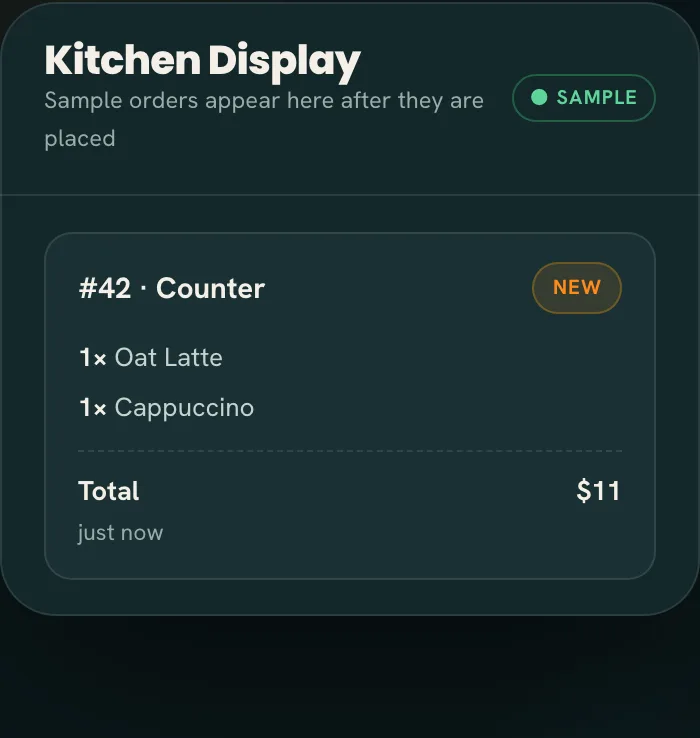
Pull it and hand it off
The ticket chimes onto the barista's screen with every choice written out. When it's up, an order-ready alert tells the guest to collect at your pickup shelf.
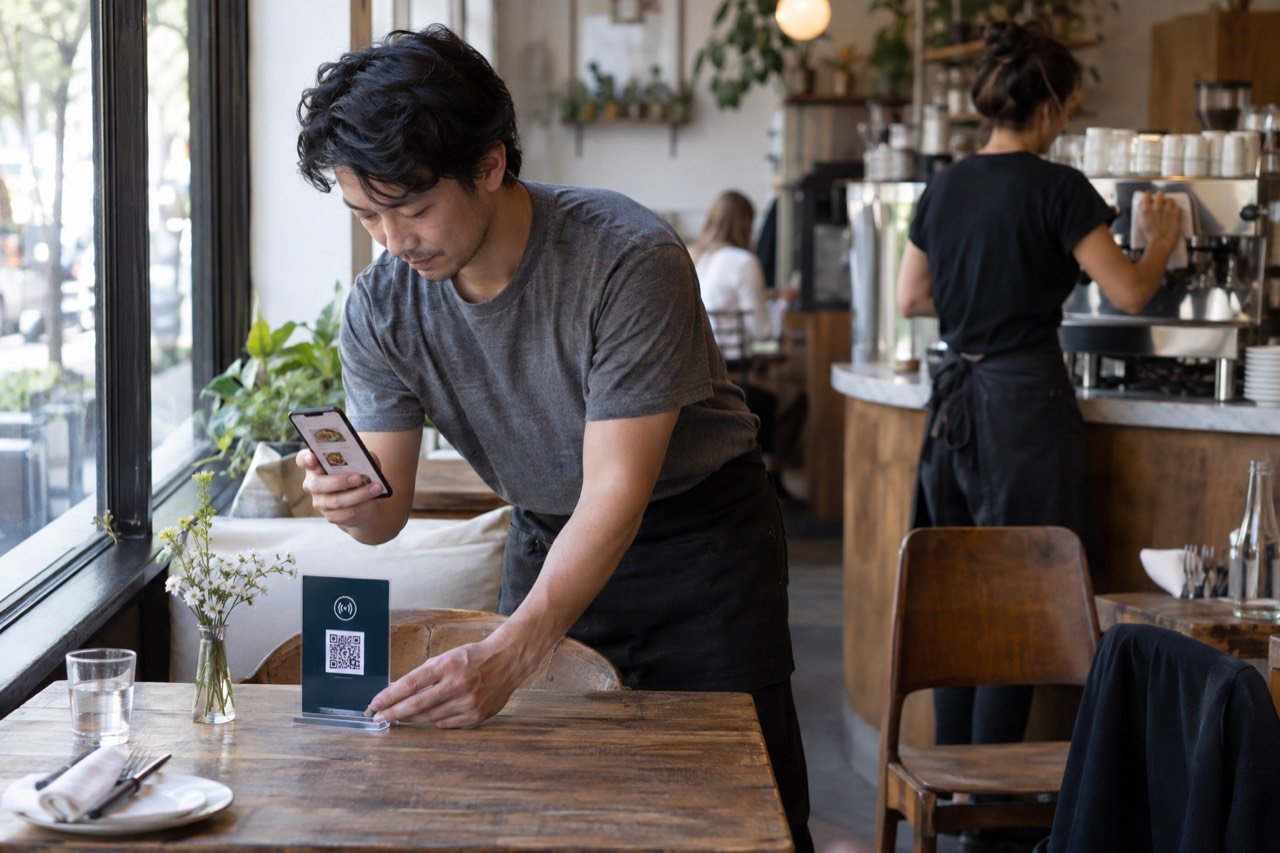
Every display carries an NFC tag and a printed QR code: a newer phone taps it, any phone camera scans it, and there is no app to install either way. The displays need no power or wiring, so they stand at the door, lie flat on a table or hang at the end of the line.
In a narrow New York storefront, the display by the door and the one halfway down the line do the most work, and the designer-made poster in the window points passers-by to your ordering site. A phone order still needs a name on the cup and a place to wait, so on the onboarding call we agree the pickup shelf and how orders are called, and phone orders never crowd the register.
Baristas see orders in the Tap2Order staff portal, a web app that runs on the tablet by the espresso machine, the manager's phone or the office laptop. Tickets move New, In progress, Ready. When the almond croissants run out, one tap marks them sold out on every display; if the machine falls behind, staff pause phone ordering for a few minutes. Owners check live sales, what's selling and busy periods from home before the doors open. Nothing to buy or lease, and your POS stays where it is. The independent café checklist covers the pickup side in more depth.
See the guest and counter flow in the sample →Built for how busy cafés actually run.
In NYC the morning window is short. A commuter gives a coffee stop a few minutes between the train and the office, and if the line eats those minutes, they buy coffee somewhere else tomorrow too. This is what changes.
- Fewer walk-bys at 8:15. A line that orders while it waits moves faster at the counter, and the guest who would have kept walking orders from the sidewalk display instead, with no app to slow them down.
- Fewer remakes. Oat milk, extra shot, half sweet: every choice is on the ticket in the guest's own words, not half-heard over the grinder.
- Drinks and food land together. On Growth Engine, the Algorithm fires each item by its prep time, so a drip coffee, a slower pour-over and a breakfast sandwich on one order are ready at the same moment. Guests see an honest wait, and new orders slow automatically when the bar is maxed.
- More in every bag. On Growth, smart upsells suggest a pastry with a latte without a sales pitch from anyone, timed happy hours fill the afternoon lull on their own schedule, and one-tap reorder brings back a regular's usual. Your reports show exactly what they added.
- Milk and beans that count themselves. On Growth, every drink deducts its milk, beans and syrup, and every pastry comes off the case count. Low-stock alerts arrive before the morning rush, and marking oat milk out pauses every drink that uses it. Nightly suggested orders are sized to your supplier's packs, with a flag when what you buy drifts from what you sell: more oat lattes going out, the same whole milk still coming in.
- Day-old waste with a price on it. Log waste by reason and see a line like this example: "$84 in the bin this week, most of it day-old croissants." Heatmaps turn into a prep list, so you bake the right number and add the second barista before the rush, not during it.
- A clear picture of the rush. You know Mondays are slower. The sales dashboard shows your best seller by hour and exactly when a second barista pays off, from anywhere, including your phone on the way in.
Built for every kind of NYC café.
The café ordering system is the same in every shop. Where the displays go and where guests pick up is what we set up for yours, in person, anywhere in New York City, from a single espresso bar to a group of shops.
- Espresso bars: milk, syrup and shot choices arrive written down, so the barista stops asking and starts pulling.
- Grab-and-go near NYC offices and subway stops: guests decide in line instead of at the register, and the counter keeps moving through the 8 to 9 peak.
- All-day cafés: from the NYC breakfast rush to the afternoon laptop crowd, swap breakfast for lunch and lunch for the afternoon menu in the portal as the day changes.
- Bakery cafés: the tray empties, you tap sold out, and nobody orders a pastry you no longer have.
- Specialty roasters: menu performance on Growth shows which single-origin and seasonal drinks sell and which earn, so you brew and stock to demand.
- Cafés with seating: a table that wants a second coffee or lunch orders from the NFC display on the table instead of getting back in line.
- Neighborhood cafés: regulars order in seconds and the team has more time to talk; customer patterns on Growth show what they reorder and when they come back.
Sidewalk tables count too. Outdoor seating under NYC DOT's Dining Out NYC program gets its own display, so the guests outside order into the same queue as the line inside, and nobody walks in to ask for a refill.
Visitors and neighbors read the menu in their own language on Growth, which matters in a city where the morning line speaks several. Serving a sit-down menu as well as coffee? See the restaurant guide.
Another way to order, without another hire.
A second barista for a two-hour morning peak is the usual answer to a long line, and an expensive one. In the National Restaurant Association's State of the Restaurant Industry 2026 report, 94% of limited-service operators called labor costs a significant challenge in 2025. That is industry research, not a Tap2Order result. When the team on shift can take more of the line, the extra hire can wait. What café owners ask first:
- "My regulars like chatting at the counter." Keep it. The register stays open for a recommendation or a chat; the phone route is for the people in line who already know what they want.
- "What about the tip jar?" Guests who order on their phone can add a tip at checkout, and a daily tips report shows what came in for payroll. How you split tips stays your call.
- "Forced QR menus annoy people." Nobody is forced. Your menu board stays; the NFC and QR display is an extra way in with no app to download, and guests pick whichever is faster.
- "Won't phone orders bury the machine?" Tickets arrive in order, written out, and staff can pause phone ordering or mark the cold brew sold out in seconds. On Growth, pacing slows new orders when the bar is maxed.
- "I don't want to change my POS." You don't. Tap2Order runs next to it on the tablet or phone you already have; custom integrations are available on Pro Command.
- "Will my morning guests download an app?" They don't have to. A tap or a scan opens the menu in the browser, with no app and no account, which is the only way a 90-second coffee stop works.
Pricing for cafés. One flat fee, however many lattes your café sells.
| Plan | Monthly | Annual prepay (2 months free) | What it does for a café |
|---|---|---|---|
| Essential Core | $297 | $2,970/year | Takes every order: NFC and QR ordering with no app, a live kitchen display with a chime, sold-out and pause in one tap, order-ready alerts, tips at checkout with a daily tips report, a sales dashboard, and the in-person NYC setup. Email support. |
| Growth Engine (Recommended) | $597 | $5,970/year | Sells more and wastes less: pastry upsells and timed happy hours, drinks and food paced to land together, milk, bean and pastry stock that counts itself, buy-what-you-sell ordering, day-old waste in dollars, menu performance, a prep list from your heatmaps, customer patterns, a weekly owner report and multi-language menus. Priority email support. |
| Pro Command | $997 | $9,970/year | Runs 2 to 5 shops on numbers: shops compared on sales, waste, food cost and labor, a two-week forecast behind every milk and bakery order, live food cost % per drink, barista staffing by hour, one menu with local prices, a refund and void audit, a daily owner report and exports to your books. Priority phone support. |
| Group HQ | Custom | Custom | 6 or more shops or a franchise: head office locks the core menu and prices, locations add local specials, one roll-up for all of them. Book a call. |
- Term: billed monthly on a 3-month initial term, renewing quarter to quarter. Give 30 days' notice before a quarter ends to cancel; after the first quarter there is no fee.
- Setup fee: $599, waived if your café signs by December 31, 2026. Waived, not deleted: cancel during the first quarter and the $599 becomes payable along with the rest of that quarter's fees.
- Commission: none. Guest card payments run through your own payment processor at its standard rates, set up during onboarding.
- Extras: a design refresh for a seasonal menu, $199; 10 more NFC displays, $149 one-time; an extra NYC training visit for new baristas, $149; the AI phone ordering agent, $149/month on any plan.
Example, not a result: Essential Core costs about $10 a day. Two extra $5 lattes a day from guests who would have walked past a long line cover it. Put your own average ticket into the same sum. See every plan
Tap-to-order for cafés across NYC. We handle the setup in person.
- Onboarding call. We learn your menu and modifiers, your counter and seating, and where guests should pick up.
- In-person install. A uniformed Tap2Order team member programs and places the printed NFC and QR displays in your shop, in Manhattan, Brooklyn, Queens, the Bronx or Staten Island, and gives a quick demo.
- Barista training. Your team learns the portal and exactly what they need for the morning rush, from calling orders to marking the oat milk out.
The NYC launch guarantee: "Live within 7 days of your onboarding call, once we have your menu and venue details. If we miss it, your next month is free." That clock runs from the onboarding call, not from the day you pay; for shops outside the city we confirm timing one venue at a time. Your café keeps the designer-made table display and poster.
Before you commit, order a coffee in the demo: a sample of the guest menu and the counter view, with no signup. Tap2Order is a New York company founded by Dan; meet the founder first. When the line looks long, the next New York coffee shop is often a short walk away, and a line that orders while it waits is one of the few advantages a small NYC café controls.
Café owner questions, answered.
Can the menu handle all our drink choices?
Yes. We build your sizes, milks, shots and syrups from your real menu during onboarding, and each choice shows on the kitchen display with the order, so the barista reads oat milk and an extra shot instead of hearing it over the grinder.
Do guests need an app?
No. A commuter with a minute to spare won't download one, and doesn't have to. A tap on the NFC display or a scan of the QR code opens your menu in the phone browser, with no app download and no account.
How does a guest know their drink is ready?
An order-ready alert tells them when the barista marks it Ready, so they collect it at the pickup shelf instead of hovering at the counter. How names are called is agreed on the onboarding call.
Can guests order while they wait in line?
Yes, if a display or poster is within reach. They tap the NFC tag or scan the QR code with the camera, no app to install, and the order is in the staff portal before they reach the front.
What equipment does my café need to buy?
None. The staff portal runs on a phone, tablet or laptop you already own, and the printed NFC and QR displays come with every plan.
We have two shops. How does that work?
A second shop is an additional location: $149 a month on Essential Core or $299 on Growth Engine. Pro Command includes up to 5 shops, side by side on sales, waste, food cost and labor, with one menu and local prices.
Can I switch from breakfast to lunch during the day?
Yes. Update items, prices and availability any time from the portal, so the breakfast sandwich comes off when you stop serving it and the seasonal drink goes on the day it launches.
Book 15 minutes. Get a plan for your café.
Tell us where your line forms and where guests wait. We'll map the displays and the pickup shelf on the call.