
Staff portal: live orders on the devices you already own.
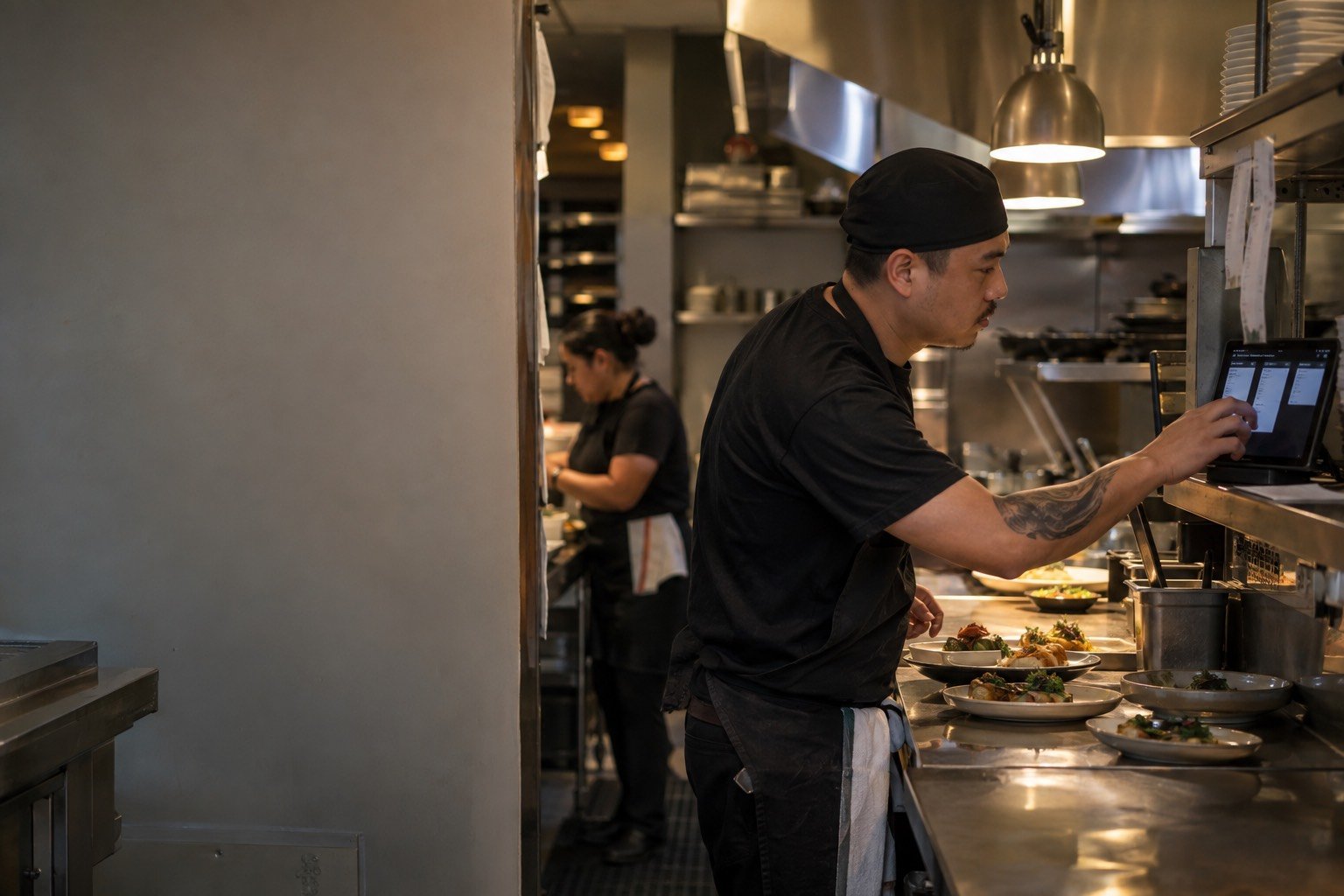
Tap2Order's staff portal and features, for bars, cafés and restaurants: guests tap an NFC display or scan the QR code and order from their own phone with no app, and every ticket lands on a live kitchen display that runs on any desktop, laptop, tablet or phone you already own. No terminals to buy, no POS to replace.
Or book a 15-minute call. Plans from $297 a month, setup fee waived through 2026.
What can guests do with Tap2Order?
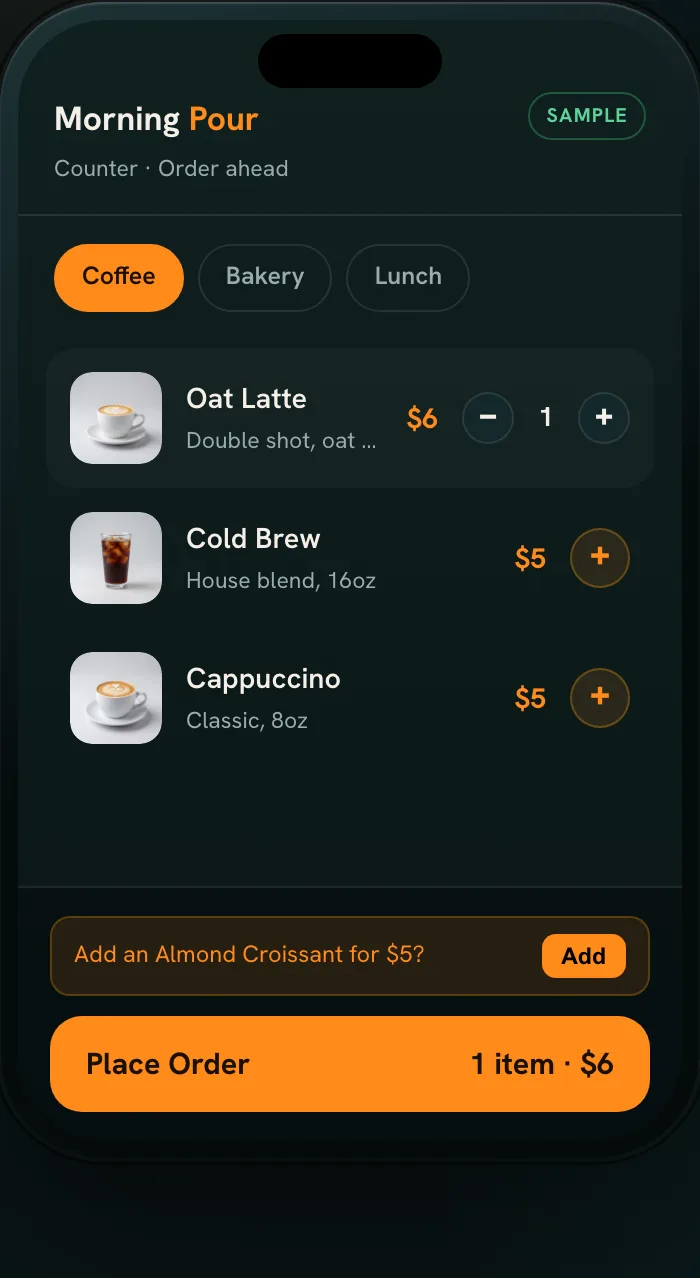
- Tap or scan. Every printed display carries an NFC tag and a QR code; both open your menu in the phone browser, with no app and no account.
- Order the way they want it. Items, options and notes, sent when they're ready, paid through your venue's own processor at its standard rates.
- Know when it's ready. Order-ready alerts go to the guest's phone.
See how it works for the step-by-step flow and setup; the interactive demo runs a sample venue on your phone.
What is the Tap2Order staff portal?
A progressive web app (PWA): it runs in the browser but opens full screen like an app, with no app-store install and no dedicated terminal. Run it on the laptop behind the bar, a tablet at the pass and a manager's phone at the same time.
Every plan includes it, and in NYC a uniformed Tap2Order team member trains your staff on it in person. For planning roles on shift, read the guide for staff.

Features in every plan
Essential Core takes every order and keeps the floor in control.
Live orders and kitchen view
Tickets arrive the moment a guest orders, with a chime, written out with modifiers and allergens, and move New, In progress, Ready. Slammed? Pause ordering in one tap.
Menu management
Change items, prices and availability any time. Mark a dish sold out in one tap and it leaves every display, so you never refund what you can't make.
Sales dashboard
Sales, top sellers and busiest hours, open from anywhere, plus tips at checkout with a daily tips report for payroll and an alert if the order screen goes offline.
A clear ticket doesn't replace your process for allergies and corrections: the order accuracy guide shows how to test the handoff.
What does the Growth plan add?

Growth Engine (Recommended) sells more per guest and stops money going in the bin.
- Upsells and happy hours. Smart upsells and timed happy hours sell the next round and the extra side, and your reports show exactly what they added.
- Stock that counts itself. Every sale deducts its recipe, so you know what's on the shelf without a clipboard.
- Buy what you sell. Nightly suggested orders sized to your supplier's packs, with an alert when what you buy drifts from what you sell.
- Waste in dollars. Waste by reason and what it cost, plus variance against your recipes to catch over-portioning, spills and theft.
- Low stock and ingredient out. Alerts before service; mark one ingredient out and every dish that uses it pauses.
- Menu performance. Every item ranked by what it sells and earns: keep, reprice, reposition or cut.
- Heatmaps and prep. Peak-hour heatmaps become a prep list, so Friday's wings are ready before the rush.
- The Algorithm. Kitchen pacing: each dish fired by its prep time so a table's food lands together, an honest wait for guests, and new orders slowed automatically when the kitchen is maxed.
- Customer patterns with one-tap reorder, a weekly owner report and multi-language menus.
Built for owner-operators and managers who watch every check: busy bars, cafés with a morning queue and quick-service counters.
What does the Pro plan add?
Pro Command runs your venues on numbers, not gut feel.
- Demand forecast. Two weeks ahead by item and weekday, behind every order sheet and prep list.
- Live food cost % per item and per location, not a month-end surprise.
- Labor insights. Staffing by hour from your real orders, and labor as a share of sales, shift by shift.
- Up to 5 locations side by side on sales, waste, food cost and labor, one menu with local specials and prices, and a refund, void and discount audit by staff member. Six or more, or a franchise: Group HQ.
- Daily owner report, exports and custom integrations: daily sales, tax and tips to your books, with integrations scoped with you.
On any plan, the AI phone ordering add-on answers the calls your team can't pick up and takes the order into the staff portal.
Features by plan
| Feature | Essential Core $297/mo | Growth Engine (Recommended) $597/mo | Pro Command $997/mo |
|---|---|---|---|
| NFC and QR ordering, staff portal on any device | ✓ | ✓ | ✓ |
| Live kitchen display, pause and sold-out | ✓ | ✓ | ✓ |
| Sales dashboard and daily tips report | ✓ | ✓ | ✓ |
| Upsells, happy hours and one-tap reorder | Not included | ✓ | ✓ |
| Stock, buy-what-you-sell and waste in dollars | Not included | ✓ | ✓ |
| Menu performance, heatmaps and prep list | Not included | ✓ | ✓ |
| The Algorithm: kitchen pacing | Not included | ✓ | ✓ |
| Multi-language menus | Not included | ✓ | ✓ |
| Forecast, live food cost and labor insights | Not included | Not included | ✓ |
| Additional locations | Add-on, $149/mo each | Add-on, $299/mo each | Up to 5, compared side by side |
| Exports and custom integrations | Not included | Not included | ✓ |
| Support | Priority email | Priority phone, dedicated onboarding | |
| AI phone ordering | +$149/mo | +$149/mo | +$149/mo |
Every plan includes the onboarding call, in-person install in NYC, printed displays and staff training. Billed monthly, a 3-month first term, then quarter to quarter; annual prepay gets 2 months free. Full terms are on the pricing page.
Staff portal and features questions
Do I need to buy any hardware?
No. No terminals to buy, no tablets to lease and no POS replacement. The portal runs on devices you own, and the printed NFC and QR displays are included.
Can I see sales when I'm not at the venue?
Yes. Owners and managers open the portal from anywhere to see what's selling and when it's busy. Growth adds a weekly owner report; Pro adds a daily one.
Does Tap2Order replace my POS?
No. It runs next to your POS. Pro includes custom integrations, scoped with you for your venue.
Do you take a commission on orders?
No. A flat monthly fee with no per-order commission. Guest card payments go through your own processor at its standard rates.
Is the demo the real staff portal?
No. The public demo runs sample venues and orders, not a live customer venue. On a 15-minute call we walk you through the staff portal for your venue.
Related guides
Pick the plan that fits your room.
Talk through your menu and your busiest night, and leave with the plan that fits.