
Table ordering for faster turns and fewer missed add-ons.
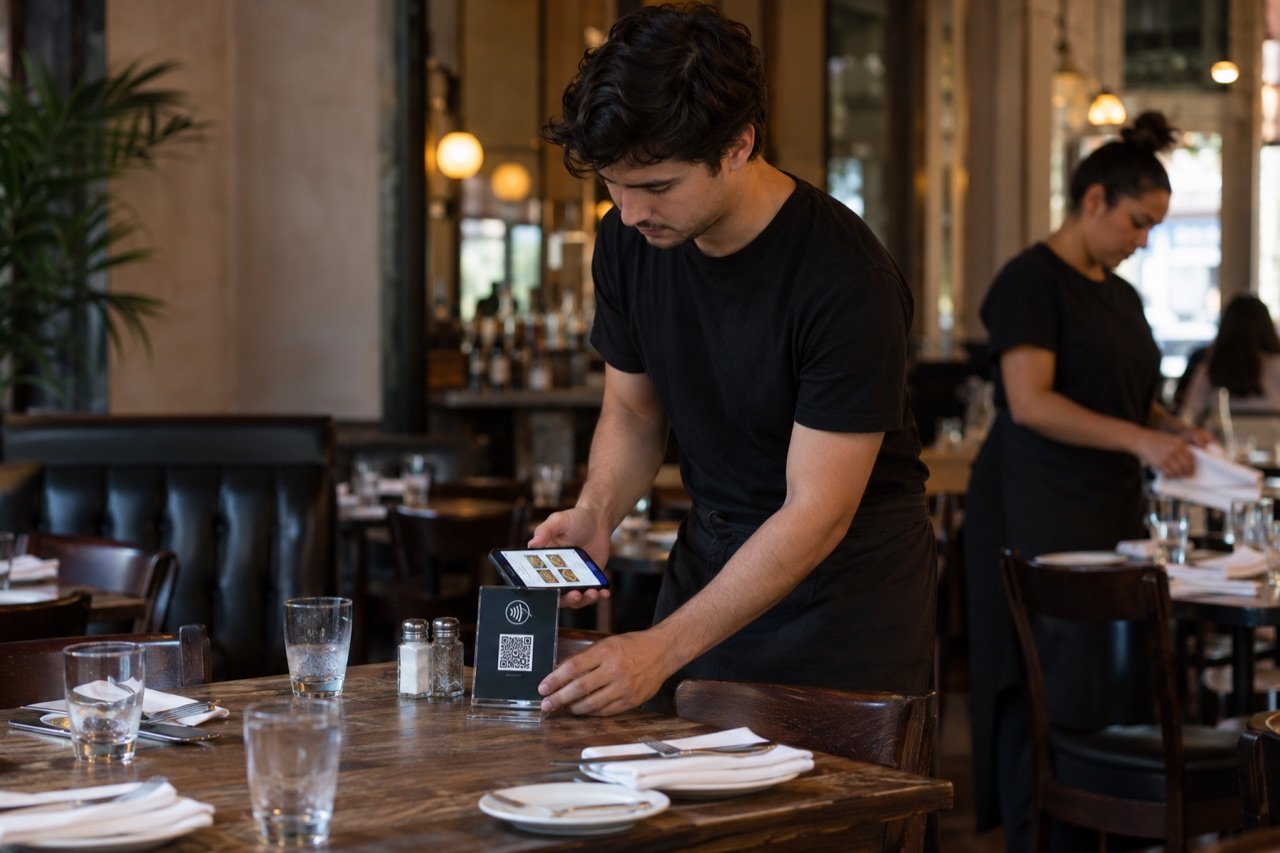
Table ordering for NYC restaurants: diners tap the NFC display on the table or scan the QR code, order drinks, sides or dessert from their own phone with no app, and each ticket goes straight to the kitchen display in your staff portal. Your servers and your printed menu stay; a table that's ready to order just doesn't wait for one.
Or book a 15-minute call. From $297 a month, never a cut of the check, setup fee waived through 2026.
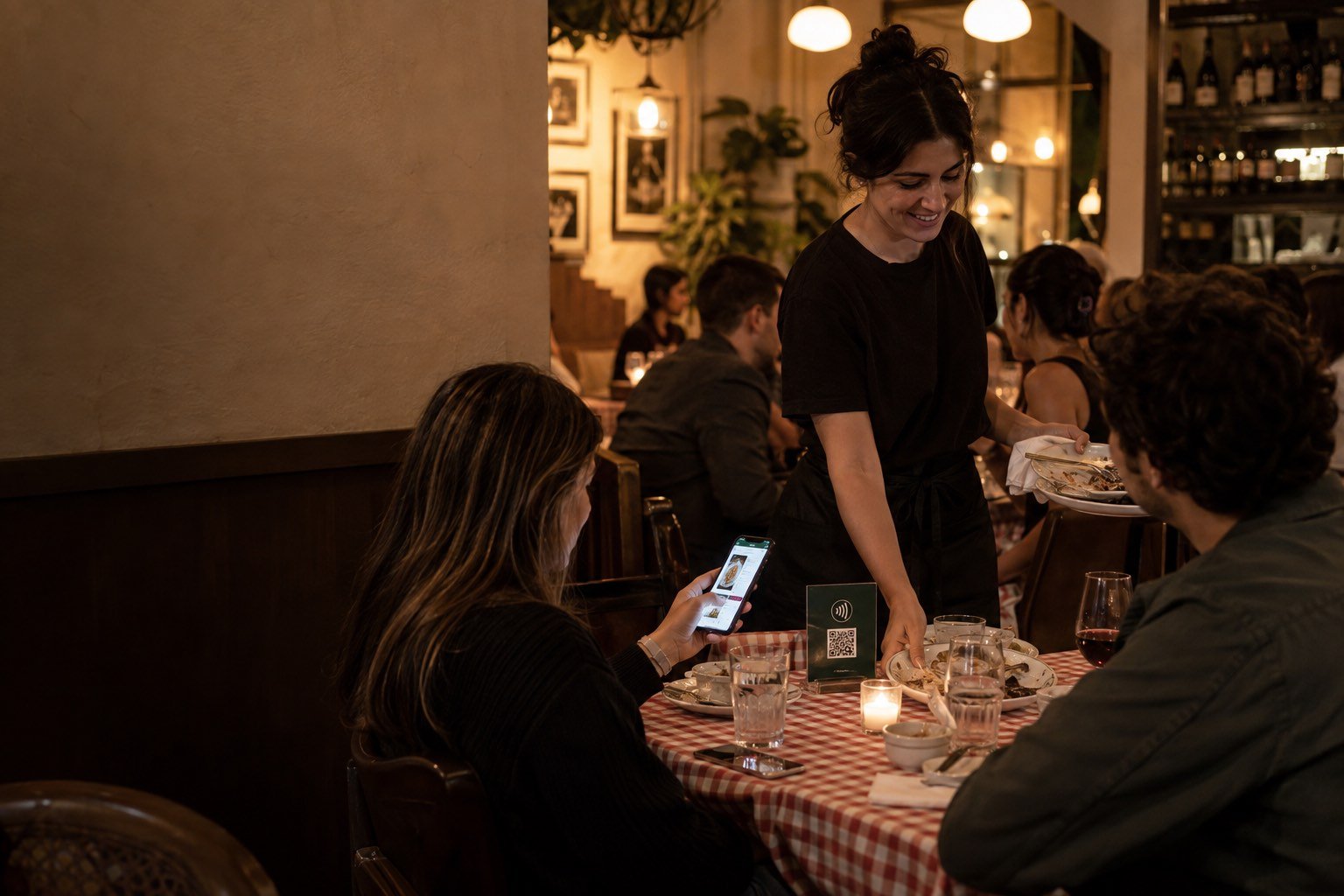
Tap-to-order at the table: how it works, and what the kitchen sees.
On a full night the gap is rarely the kitchen's skill. It's the time between a table being ready to order and a server being free to take it, plus the details lost when an order is relayed by voice.
Tap or scan at the table
Each table gets a printed NFC display with a QR code for any phone that doesn't tap.
Choose and customize
No app download, no account. Diners pick dishes and drinks and set their changes, so the request arrives in writing, not from memory.
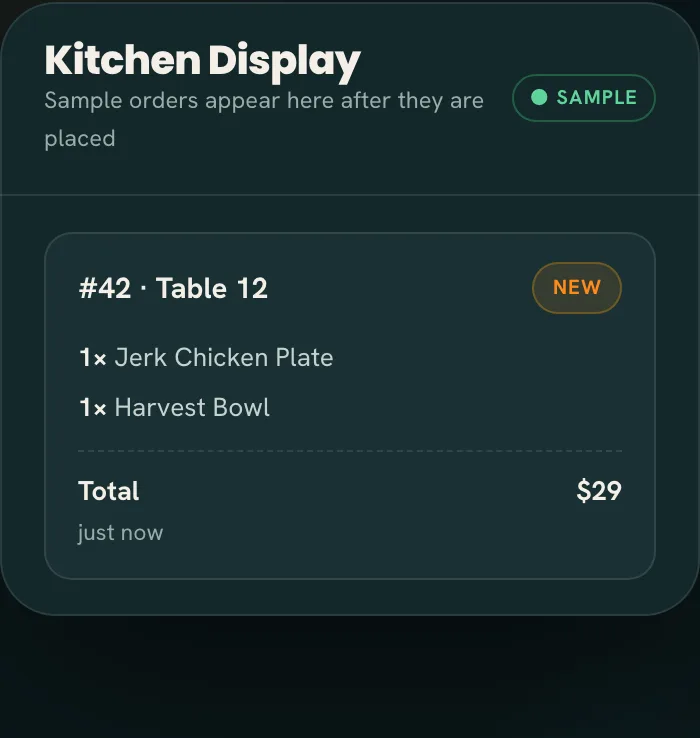
The kitchen fires it
The ticket chimes onto the live kitchen display at the pass. Servers and runners deliver it and keep checking in, the way your dining room already works.
Every display carries both an NFC tag and a printed QR code: diners with newer phones tap, anyone else scans with the camera, and no app is needed either way. We place the displays where diners see them and plates don't knock them over, and the patio, the bar and a private room can each have their own. The kitchen display runs in the Tap2Order staff portal, a web app on a tablet at the pass, a laptop on the line or a manager's phone on the floor. Tickets move New, In progress, Ready. When the branzino sells out, one tap takes it off every table; if the kitchen is in the weeds, staff pause phone ordering until it catches up. Nothing new goes on the counter: no terminal, no leased tablet, no POS swap.
See the diner and kitchen flow in the sample →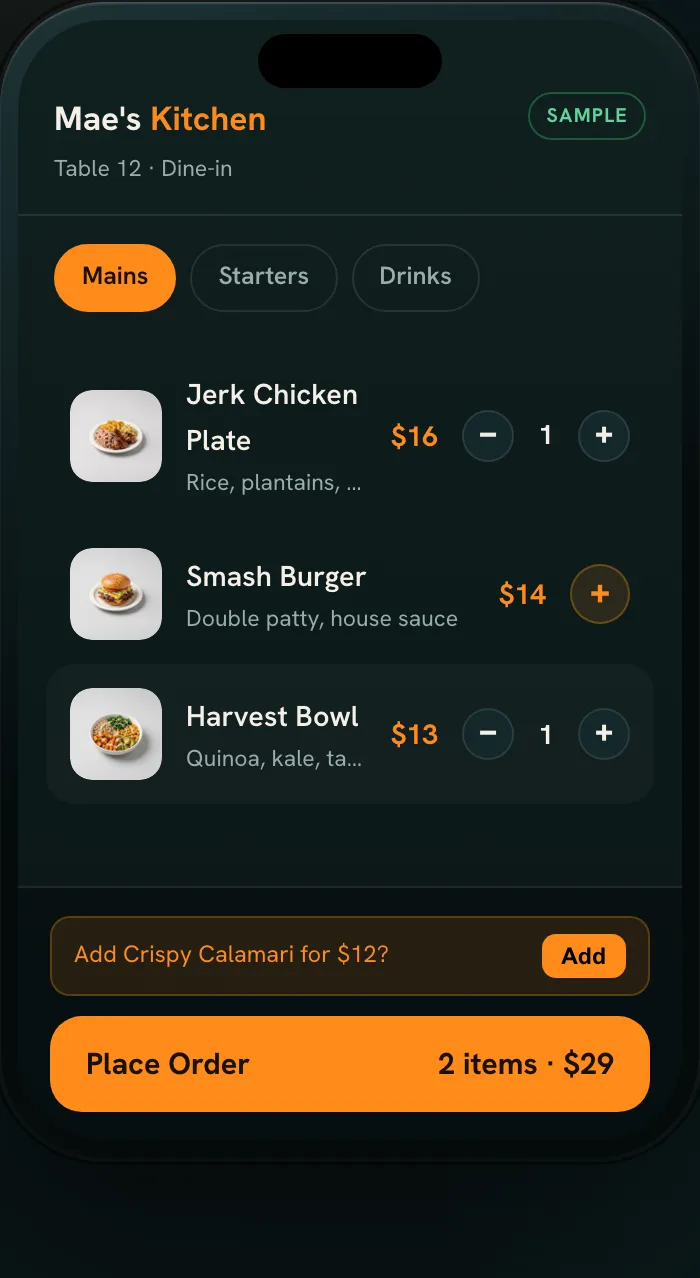
Built for how busy restaurants actually run.
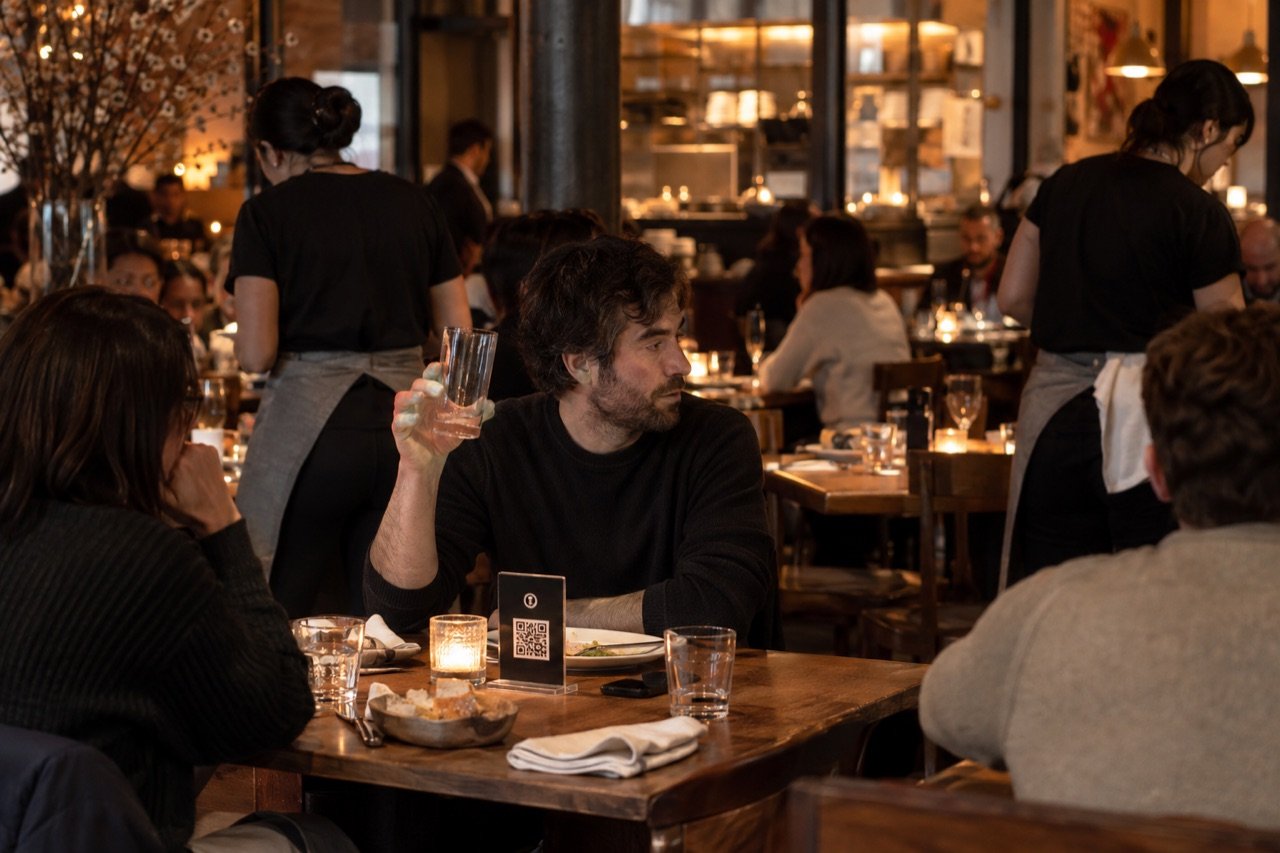
In NYC, where a good dining room often has a wait at the door on a Friday, a table that sits ready and unserved is doubly expensive: it's the round you didn't sell and the turn you didn't get. Here is what owners, GMs and kitchen managers get back.
- The second glass and the dessert get ordered. The wine goes in while the server is at another table, and dessert is on the ticket before anyone asks for the check. On Growth Engine, smart upsells suggest a side or a glass with a dish, timed happy hours run on their own schedule, and one-tap reorder brings the next round; your reports show exactly what they added.
- Faster turns. Every lap a server makes for a simple reorder is a lap not spent clearing, firing the next course or dropping a check. Take the reorders off their feet and the minutes come back as covers.
- Fewer re-fires. "No cheese, extra spicy" said at the table, heard at the station and keyed in later is an easy place for a mistake. A ticket on the kitchen display carries the modifier exactly as the diner chose it. See order accuracy for how written tickets cut re-fires.
- A table's food lands together. On Growth, the Algorithm fires each dish by its prep time and station, so the salad and the braise reach the table at once instead of one plate going cold. Diners see an honest wait, and when the kitchen is maxed, new orders slow automatically so the line stays out of the weeds.
- Food cost under control. On Growth, every dish sold deducts its recipe from proteins, produce and dry goods, low-stock alerts arrive before service, and marking the short rib out pauses every dish that uses it. Nightly suggested orders are sized to your supplier's packs, with a flag when what you buy drifts from what you sell: more chicken dishes going out, the same pork still coming in. Prep waste shows in dollars, like this example: "$312 in the bin this week, most of it prepped salad." Variance catches over-portioning, spills and theft.
- Regulars remembered. On Growth, customer patterns show which dishes guests reorder, when they return and what they spend, and a weekly owner report sums up sales, what changed and what Tap2Order brought in.
- The room, from anywhere. Owners and managers check live sales, what's selling and busy periods from home, the office or a second NYC location, without calling the host stand.
- A menu that earns its place. The sales dashboard shows what sells by day and hour, from anywhere. On Growth, menu performance ranks every dish by what it sells and earns, with the move for each: keep, reprice, reposition or cut. Heatmaps turn into a prep list, so Friday's mise en place is ready before the rush, not during it.
Built for every kind of NYC restaurant.
The ordering system is the same in every dining room: diners use their own phones with no app, and your team keeps the hospitality. What changes is where the displays go, and we work that out with you in person anywhere in New York City.
- Full-service restaurants: tables add drinks and sides when they want them, and the dashboard shows top sellers by service.
- Neighborhood bistros: a small floor team walks back for fewer simple reorders and spends the time with guests.
- Trattorias and pizzerias: "well done, no basil" arrives in writing, so fewer plates come back.
- Family restaurants: a big table orders at its own pace, each guest on their own phone with no app, without waiting for everyone to be ready at once.
- Wine-focused dining rooms: guests browse the full list at the table, and a suggested glass with a dish is a prompt, not a pitch.
- Brunch spots: switch brunch off when service changes, and let the weekend heatmap build the prep list so the hollandaise is ready before the rush.
- Private rooms: a party orders its own rounds from the display in the room, and the kitchen sees which room each ticket came from.
- NYC rooms full of visitors: diners read the menu in their own language on Growth, so the server isn't translating the specials.
- Outdoor dining: sidewalk and roadway tables in your Dining Out NYC setup get their own NFC and QR display, so diners outside order with no app and the kitchen sees them in the same queue as the room.
Serving counter-first rather than at the table? See the quick-service guide or the café guide.
Another way to order, without another hire.
Labor is where the pressure sits: in the National Restaurant Association's State of the Restaurant Industry 2026 report, 96% of full-service operators said labor costs were a significant challenge in 2025. That's industry research, not a Tap2Order result. A table that orders its second round without a server's lap is labor you don't have to add. What owners and GMs ask before they put it on the floor:
- "My guests come here for the service." They still get it. Diners who want a recommendation, the specials or a talk about the wine list order from a server as they do now. Many tables do both: tap for drinks while they read the menu, then ask about the specials.
- "Will my servers lose tips?" Diners can add a tip at checkout on their phone, and a daily tips report shows what came in, ready for payroll. Pooling and payout follow your house rules, not ours.
- "Allergies?" Your allergy protocol stays with your team. Choices arrive written out on the kitchen display, but a server still confirms any allergy at the table, and the kitchen doesn't start a dish until it's settled.
- "Guests hate QR menus." They dislike being forced onto one. Your printed menu and your servers stay; the NFC and QR display on the table is an extra option, not the only way to order.
- "We're not changing our POS." You don't have to. Tap2Order runs next to it on devices you already own, and custom integrations are part of Pro Command.
- "Tickets will flood the kitchen." Every ticket arrives in order with its modifiers, and staff can pause phone ordering or mark a dish sold out in seconds. On Growth, pacing slows new orders when the kitchen is maxed.

Pricing for restaurants. A flat fee for the whole restaurant, not a cut of every check.
| Feature | Essential Core, $297/month | Growth Engine, $597/month (Recommended) | Pro Command, $997/month |
|---|---|---|---|
| Every table orders: NFC and QR ordering with no app, live kitchen display with a chime, pause and sold-out in one tap, tips at checkout with a daily report, order-ready alerts, sales dashboard from anywhere | Included | Included | Included |
| In-person setup, server and kitchen training, table displays and poster | Included | Included | Included |
| Sell more per table: kitchen pacing, smart upsells, timed happy hours and one-tap reorder, with what they added in your reports | Not included | Included | Included |
| Waste less: stock that counts itself, buy-what-you-sell ordering, prep waste in dollars, variance, low-stock alerts and ingredient out | Not included | Included | Included |
| Menu performance, heatmaps turned into a prep list, customer patterns, weekly owner report, multi-language menus | Not included | Included | Included |
| Run on numbers: up to 5 restaurants compared, two-week forecast behind every order sheet, live food cost % per dish, staffing by hour and labor as a share of sales, refund and void audit, daily owner report, exports to your books | Not included | Not included | Included |
| Annual prepay (2 months free) | $2,970/year | $5,970/year | $9,970/year |
| Support | Priority email | Priority phone, dedicated onboarding |
Pro Command fits owners, GMs and kitchen managers running 2 to 5 restaurants or a high-volume NYC dining room: live food cost shows a protein price jump this week, not as a month-end surprise, and one menu runs every location with local specials and prices. With 6 or more restaurants or a franchise, Group HQ adds brand standards and one roll-up, priced on a call.
- Term: monthly billing on a 3-month initial term, renewing quarter to quarter. Cancel with 30 days' notice before the end of any quarter; no fee after the first quarter.
- Setup fee: $599, waived for restaurants that sign by December 31, 2026. Waived, not deleted: canceling during the first quarter makes it payable, together with that quarter's remaining monthly fees.
- Commission: none, however many covers you serve. Diners' card payments run through your own processor at its usual rates, set up during onboarding.
- Add-ons: 10 more NFC displays for a patio, private room or larger floor, $149 one-time; an extra NYC training visit for new servers, $149; a design refresh, $199; an additional location, $149/month on Core or $299 on Growth; the AI phone ordering agent, $149/month on any plan.
Example, not a result: Essential Core comes to about $10 a day. One $12 dessert a day, ordered by a table that would otherwise have asked for the check, covers it. Try the sum with your own dessert and wine prices. See pricing and plans
Tap-to-order for restaurants across NYC. Setup happens at your tables, in person.
- Onboarding call. We learn your menu, your tables, your service style and how orders pass between floor and kitchen.
- In-person install. A uniformed Tap2Order team member programs and places the printed NFC and QR table displays, in Manhattan, Brooklyn, Queens, the Bronx or Staten Island, and gives a quick demo.
- Staff training. Servers and kitchen staff learn the portal, plus exactly what they need to know during service. The designer-made table display and poster are yours to keep.
Our NYC guarantee: "Live within 7 days of your onboarding call, once we have your menu and venue details. If we miss it, your next month is free." We count from the onboarding call, not the purchase date. Restaurants outside NYC get a timeline confirmed for their venue.
Check it before any call: the demo is a sample of what a diner sees and what lands on the kitchen display, with no signup. Tap2Order was founded in New York by Dan, who comes from NYC hospitality and events; meet the founder. Independent New York restaurants compete on hospitality, and a clear ordering path gives your team more time for it. For the staff side, see the staff guide and the NFC ordering explainer.
Restaurant owner questions, answered.
Does table ordering replace servers?
No. Servers keep service, questions, food safety and the guest experience. Tap-to-order takes simple reorders off their feet, and a second glass reaches the kitchen display in writing while they're busy elsewhere.
Do diners need to download an app?
No. A tap on the NFC table display or a scan of its QR code opens your menu in the phone browser: no app download, no account, no password at the table.
Where does the kitchen see the orders?
On the kitchen display in the staff portal, on whatever screen you already have at the pass or on the line. A chime marks each new ticket, and an alert tells you if that screen goes offline.
Can one table order in rounds through the night?
Yes. Drinks while they read the menu, mains when they're ready, dessert at the end: each order lands on the kitchen display as its own ticket, labeled with the table.
What equipment does my restaurant need to buy?
None. Staff use screens you already have, and the printed NFC and QR table displays are included with every plan.
Book 15 minutes. Get a plan for your restaurant.
Bring your floor plan and a Friday. We'll show you where the ready tables wait and how they get served sooner.