
Quick-service ordering that clears the lunch rush faster.
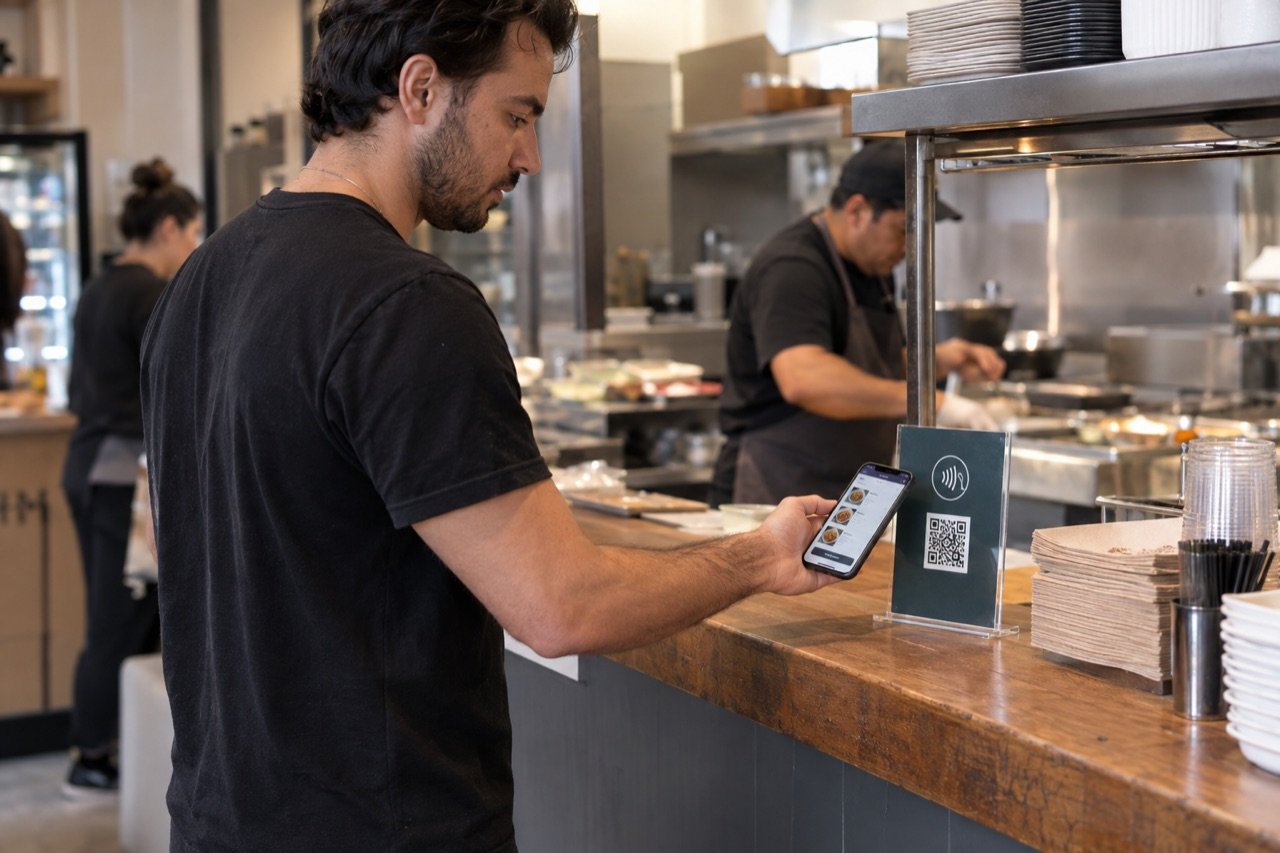
Quick-service ordering for NYC counters, delis and steam tables: guests in line tap an NFC display or scan the QR code, order the plate, sides and changes from their own phone with no app, and the ticket lands on the kitchen display by the steam table. Your register stays open for everyone who wants to point at the trays.
Or book a 15-minute call. From $297 a month flat, no per-order cut, setup fee waived through 2026.
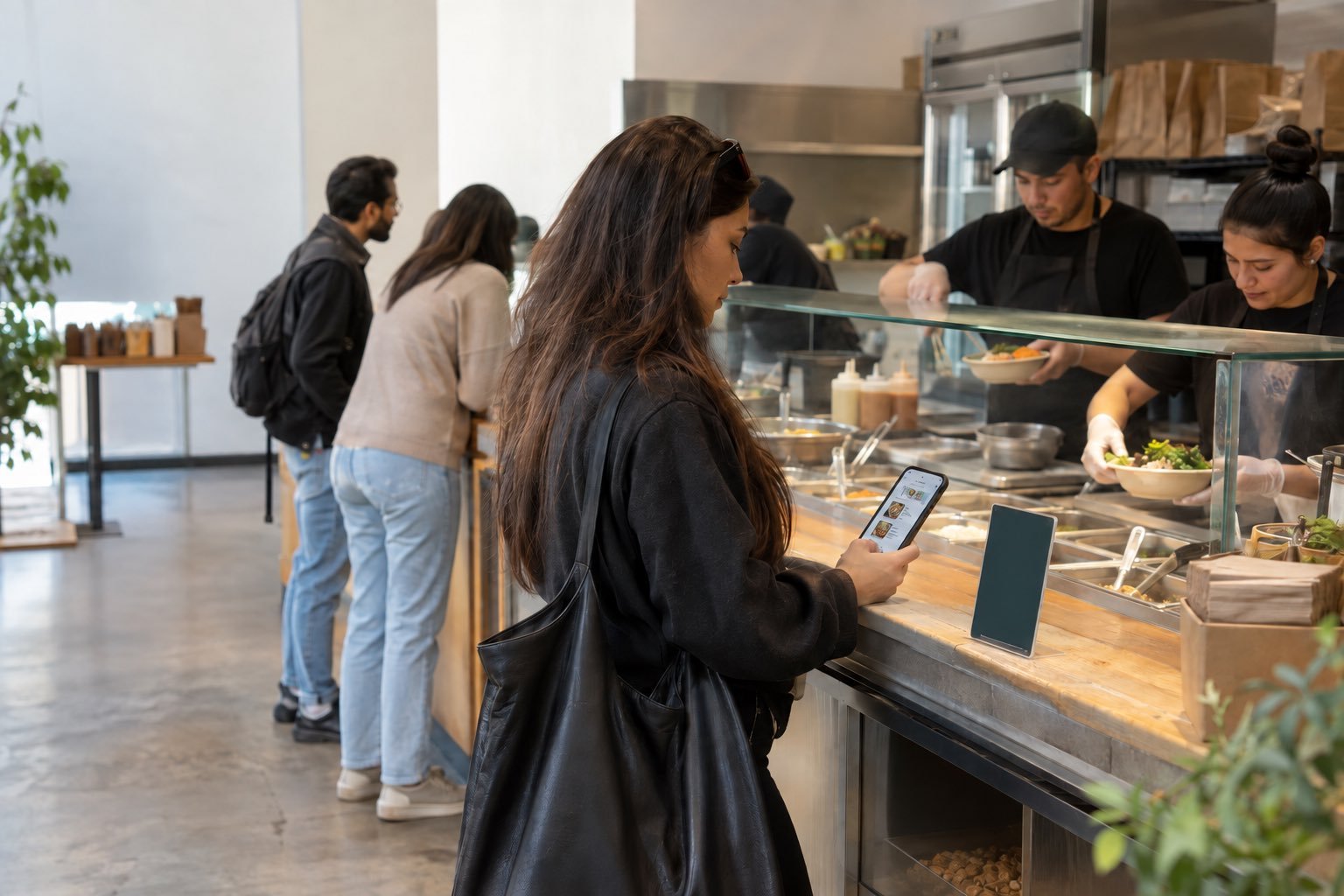
Tap-to-order at a quick-service counter: how it works for guests and staff.
The lunch peak is maybe ninety minutes, and it decides the day. Tap-to-order gives the line a second lane, so the counter spends that window on assembly and handoff instead of taking orders.
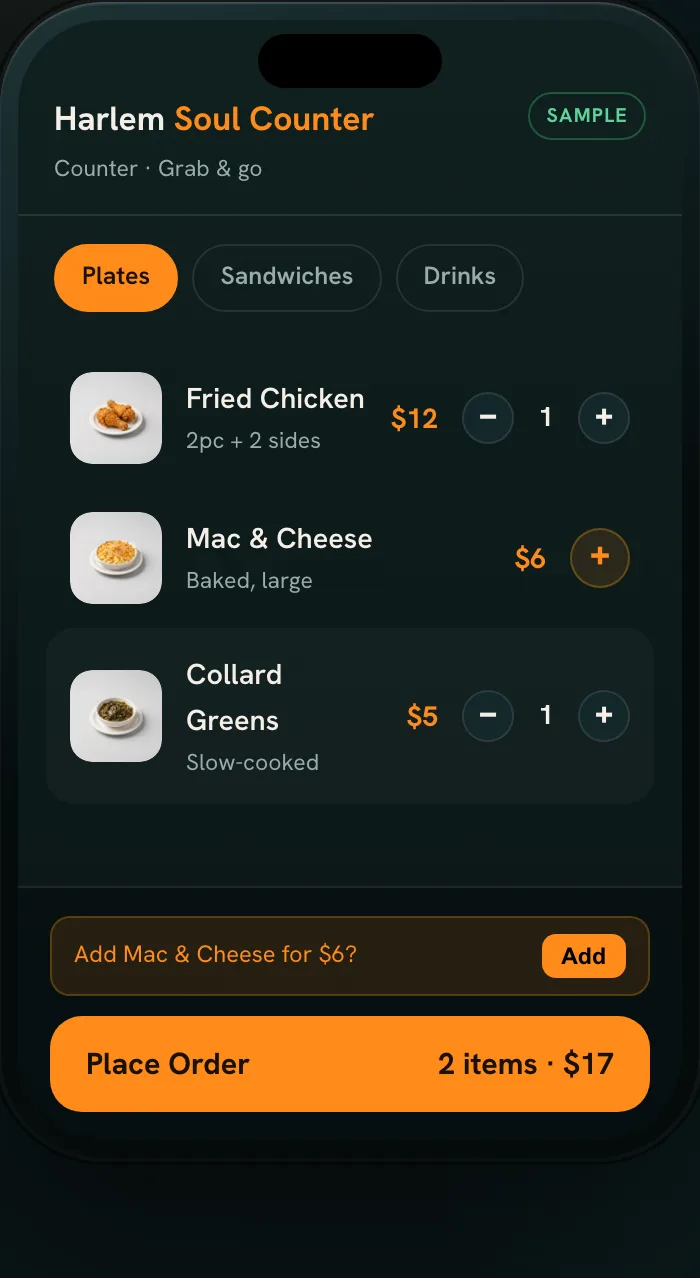
Tap or scan in line
NFC displays with a QR code sit at the start of the line, on the counter, on any tables and by the door, for guests who see the queue from the street.
Order the combo in writing
The menu opens in the phone browser, no app needed. "Chicken plate, rice and peas, no gravy, mac on the side" arrives complete.
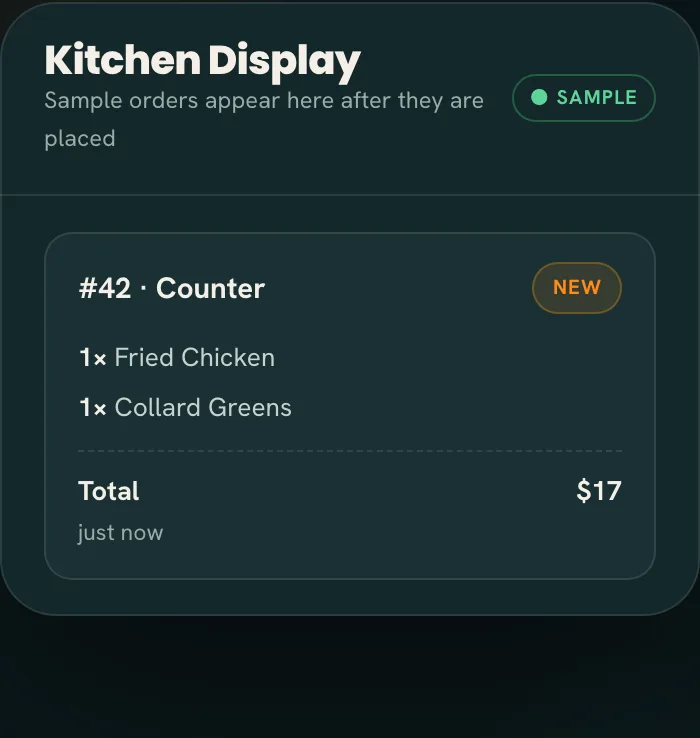
Plate it and hand it off
The ticket chimes onto the kitchen display. The line plates from a clear list, and an order-ready alert sends the guest to the pickup spot you chose.
Every display carries an NFC tag and a printed QR code, so a newer phone taps and any phone camera scans, with no app either way. The one by the door does the most work, because the guest deciding whether to join the line decides from the sidewalk. Pickup matters as much: we agree a spot at the end of the counter, away from the register queue, so phone orders never crowd the people still paying.
A steam-table menu changes during service. Whoever runs the line marks a tray sold out in one tap, or adds the daily special, and guests only see what you can serve. If the line falls behind, staff pause phone ordering and switch it back on when it clears. Tickets move New, In progress, Ready, so everyone at the counter sees what is cooking and what is waiting.
All of it runs in the Tap2Order staff portal, a web app on a tablet by the steam table or the phone in your apron. There is no terminal to buy, no tablet to lease and no POS to replace, and an alert tells you if the order screen goes offline. See the full staff portal and features list, how it works for staff, or the NFC guide on the tap itself.
See the line-to-counter flow in the sample →Built for how busy counters actually run.
At an NYC lunch counter, orders get called over each other while one person takes money, answers "what's in that?" and calls plates: something slips at least once a rush. This is what changes.
- The guest who turned around at the door orders anyway. The line out the door stops costing you the plate you already cooked, because the person at the back orders from the door display.
- Combos stop coming back. Every side and change is on the ticket as the guest chose it, not half-remembered at the steam table. More on order accuracy.
- The line stays in control. On Growth Engine, the Algorithm fires each item by its prep time, so a bottled drink and a made-to-order sandwich on one order are ready together. Guests see an honest pickup time, and new orders slow automatically when the steam table is buried.
- Trays cooked to demand. The sales dashboard may be the first item-level sales data your counter has had. On Growth, heatmaps turn into a prep list so the second tray of chicken is ready before the rush, and waste shows in dollars by reason, so the tray you threw out at 3 pm has a price on it.
- Stock that counts itself. On Growth, every plate deducts its recipe, low-stock alerts arrive before service, marking one ingredient out pauses every dish that uses it, and nightly suggested orders are sized to your supplier's packs, with a flag when what you buy drifts from what you sell.
- More on every plate. Upsells on Growth offer a drink or a side at checkout, and your reports show what they added. Menu performance ranks every plate by what it sells and earns, so you know what to reprice or cut.
- Lunch, visible from anywhere. Owners and managers check what's selling and how the rush is going live, from home or from a second location, without calling the counter.
- Regulars in and out. On Growth, one-tap reorder brings back a regular's usual plate, and customer patterns show when they come back and what they spend.
- The phone stops pulling someone off the line. Call-in lunch orders arrive exactly when nobody can step away. The AI phone ordering agent answers the calls you can't pick up and puts the order in the staff portal: a $149/month add-on on any plan.
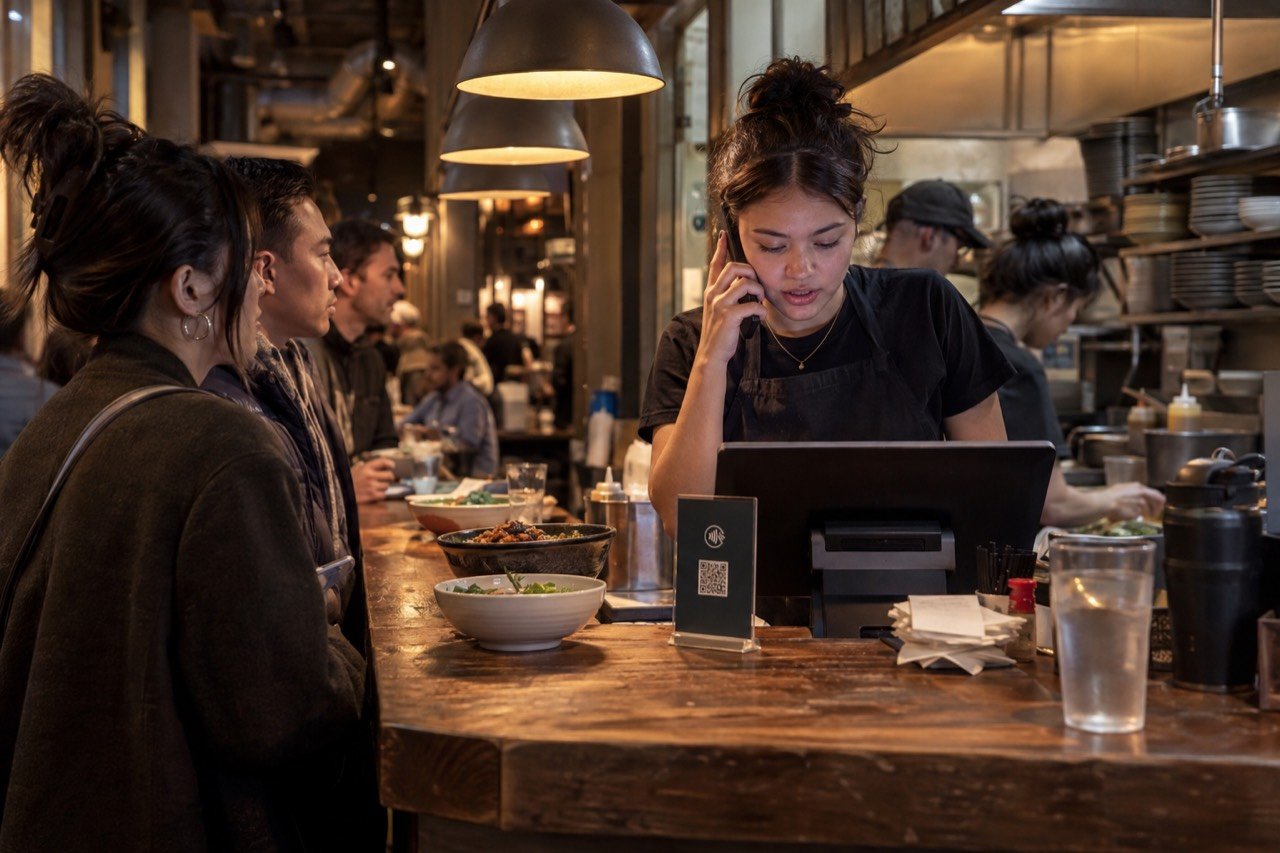
Built for every NYC counter spot.
If your counter has never run ordering software, a tap-to-order system is an easy first step: guests need no app, staff use a device you already have, and it sits next to how you work today. What changes from counter to counter is the menu structure. The rows below are examples by type of counter.
| Counter type | Where tap-to-order helps | Plan to look at |
|---|---|---|
| Steam-table lunch spot | Trays marked sold out as they empty, and item sales by day so you cook the right amount. | Essential Core; Growth Engine for the prep list and waste in dollars; Pro Command for a two-week forecast |
| Deli and sandwich counter | Bread, fillings and changes arrive in writing, so the sandwich is built right the first time. | Essential Core; Growth Engine for pacing and honest pickup times |
| NYC bodega grill | A chopped cheese or an egg sandwich with every swap arrives in writing, so the grill cook stops shouting back questions. | Essential Core |
| Pizza counter | Half-and-half pies and extra toppings arrive written out, and a sold-out slice comes off the menu in one tap. | Essential Core; Growth Engine for upsells on drinks and garlic knots |
| Grab-and-go | Guests order while they wait, so the register handles fewer quick transactions. | Essential Core |
| Caribbean or soul food counter | Plates with several sides are ordered complete, and the daily special changes in the portal, not on a handwritten sign. | Essential Core; Growth Engine upsells for drinks and sides |
| Halal or international counter | Guests read the menu in the language they know best. | Growth Engine for multi-language menus |
Selling from a window instead? See the food truck guide, or the café guide for coffee counters. Serving at the table? The restaurant guide covers dining rooms.
Another way to order, without another hire.
The usual fix for a lunch line is a second register and a second cashier, and the minimum wage in New York City is $17.00 an hour in 2026 (New York State Department of Labor), so a cashier for the lunch peak alone adds up fast. Tap2Order gives the line a second lane without either. What counter owners ask first:
- "My customers like to point at the trays." They still can. The register stays open for anyone who wants to see the food, ask about ingredients or pay in person.
- "What about tips?" Guests can add a tip at checkout, and the daily tips report shows the counter team's total for payroll. How it is shared stays your decision.
- "Won't it slow down the people paying at the register?" The opposite. Every guest who orders on their phone is one fewer transaction in front of them.
- "I'm keeping my register." Good. Tap2Order doesn't replace it; the staff portal runs next to it on a phone or tablet you already own, and custom integrations are available on Pro Command.
- "QR menus are a pain." A forced one is. Here the menu board and the register stay, and the NFC and QR display is for guests who would rather order than stand in line to do it.
- "My regulars won't download an app." They don't need to. A tap or a scan opens your menu in the browser, with no app and no account.
- "Nobody here is a tech person." You don't need one. We install the NFC displays in person anywhere in NYC and train your counter team on the spot; day to day, they read tickets and mark trays out.
Quick-service counter pricing and the launch guarantee.
| Plan | Monthly | What it does for a counter |
|---|---|---|
| Essential Core | $297 | Takes every order in the line: NFC and QR ordering with no app, a live kitchen display with a chime, sold-out trays and pause in one tap, order-ready alerts, tips at checkout with a daily report, a sales dashboard and the in-person NYC setup. Email support. |
| Growth Engine (Recommended) | $597 | Sells more and wastes less: drink and side upsells, timed happy hours, pacing so each order is ready together, stock that counts itself, buy-what-you-sell ordering, waste in dollars, menu performance, a prep list from your heatmaps, customer patterns, a weekly owner report and multi-language menus. Priority email support. |
| Pro Command | $997 | Runs 2 to 5 counters on numbers: locations side by side on sales, waste, food cost and labor, a two-week forecast by weekday behind every order and prep list, live food cost % per plate, who should work the rush from your real orders, one menu with local specials, a refund and void audit, a daily owner report and exports to your books. Priority phone support. |
| Group HQ | Custom | 6 or more counters or a franchise: head office sets the core menu and prices, each counter adds its specials, and one roll-up covers them all. Book a call. |
- NYC launch guarantee: "Live within 7 days of your onboarding call, once we have your menu and venue details. If we miss it, your next month is free." The seven days start at the onboarding call, not at checkout.
- Setup fee: $599, waived for counters that sign by December 31, 2026; waived, not deleted, so it becomes payable if you cancel in the first quarter, along with that quarter's remaining monthly fees.
- Term and commission: a 3-month initial term billed monthly, then quarter to quarter, with 30 days' notice before a quarter ends and no fee after the first quarter. No per-order commission. Annual prepay gives 2 months free.
- Card payments: processed by your own payment processor at its standard rates, set up during onboarding.
- More displays or training: a pack of 10 printed, programmed displays is $149 one-time; an extra on-site training visit in NYC is $149.
Example, not a result: at $297 a month, Essential Core is roughly $10 a day. One $11 lunch plate a day, from a guest who would have turned around at the door, covers it. Swap in your own average plate. See full pricing
Quick-service ordering in NYC. We install it at your counter in person.
New York lunch crowds are fast and mixed-language, and the break is short. An NFC and QR ordering system with no app fits that window: tap or scan, order, collect before the break is over.
- Onboarding call. We learn your menu, trays, combos and where guests collect their food.
- In-person setup. A uniformed Tap2Order team member programs and places the printed NFC and QR displays and gives your team a quick demo.
- Counter training. The staff portal, plus exactly what the counter team needs to know at noon.
- Display and poster. A designer-made table display and a poster you keep, pointing guests to your ordering site.
Every NYC plan includes all four. The how it works page walks through the process, the interactive demo is a sample you can try now with no signup, and you can meet the founder, Dan, before you book.
- Manhattan office lunch in Midtown and FiDi: short breaks, long lines and a hard noon peak. See Manhattan tap-to-order.
- Brooklyn neighborhood counters: regulars who know what they want next to newcomers who need a menu to read. See Brooklyn tap-to-order.
- Queens and the Bronx: some of NYC's most varied lunch crowds, where multi-language menus help. See Queens and the Bronx.
- Staten Island: neighborhood counters with a busy lunch and dinner rush, and the same NYC in-person setup. See Staten Island tap-to-order.
Questions before you book? Call or text (302) 463-0442 or email MoreARR@TapToOrder.co.
Counter owner questions, answered.
Is this a replacement for a cashier?
No. It is an extra ordering path. Regulars who know their plate tap the NFC display and order on their phone; guests who want to ask questions or pay in person are served exactly as today.
How are orders prioritized?
Essential Core lists tickets first come, first served. On Growth Engine and Pro Command, the Algorithm fires each item by its prep time so an order is ready together, and slows new orders when the kitchen is maxed.
Do lunch customers have to install anything?
No. The lunch line has no time for that. A tap on the NFC display or a scan of the QR code opens your menu in the phone browser: no app download, no guest account.
What equipment do we need at the counter?
Any phone, tablet or laptop with a browser runs the staff portal, and the printed NFC and QR displays are included. A tablet you already own by the steam table makes a good kitchen display.
We have a second location. Can we see both?
Yes. On Pro Command, up to 5 counters sit side by side on sales, waste, food cost and labor, with one menu and local specials. On Core or Growth, a second location is an add-on: $149 or $299 a month.
Book 15 minutes. Get a plan for your counter.
Bring your menu and your lunch numbers. We'll show you where the line would order and where it would pick up.