
Food truck ordering that moves the lunch line faster.
Food truck ordering for NYC trucks and carts: guests in the line tap an NFC display on the truck or scan the QR code, order from their own phone with no app, and the ticket lands on the kitchen display in the truck while the crew keeps cooking. The window stays open for everyone else.
Or book a 15-minute call. From $297 a month with no cut of your sales, setup fee waived through 2026.
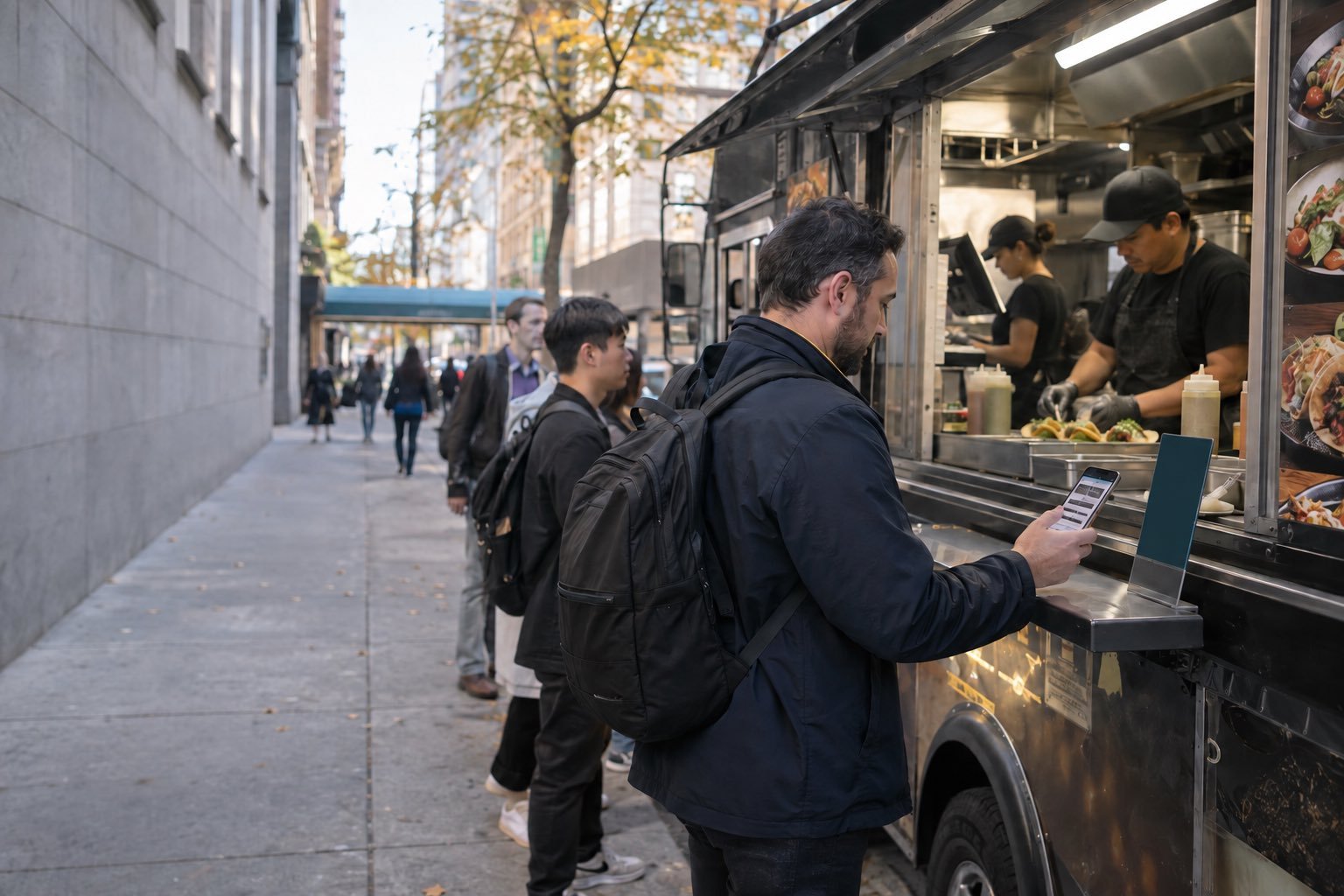
How it works: tap-to-order from the food truck line to the staff portal.
A truck has one window and maybe forty minutes of real lunch. Take the reading and the ordering off that window, and the crew spends the rush cooking, plating and handing off.
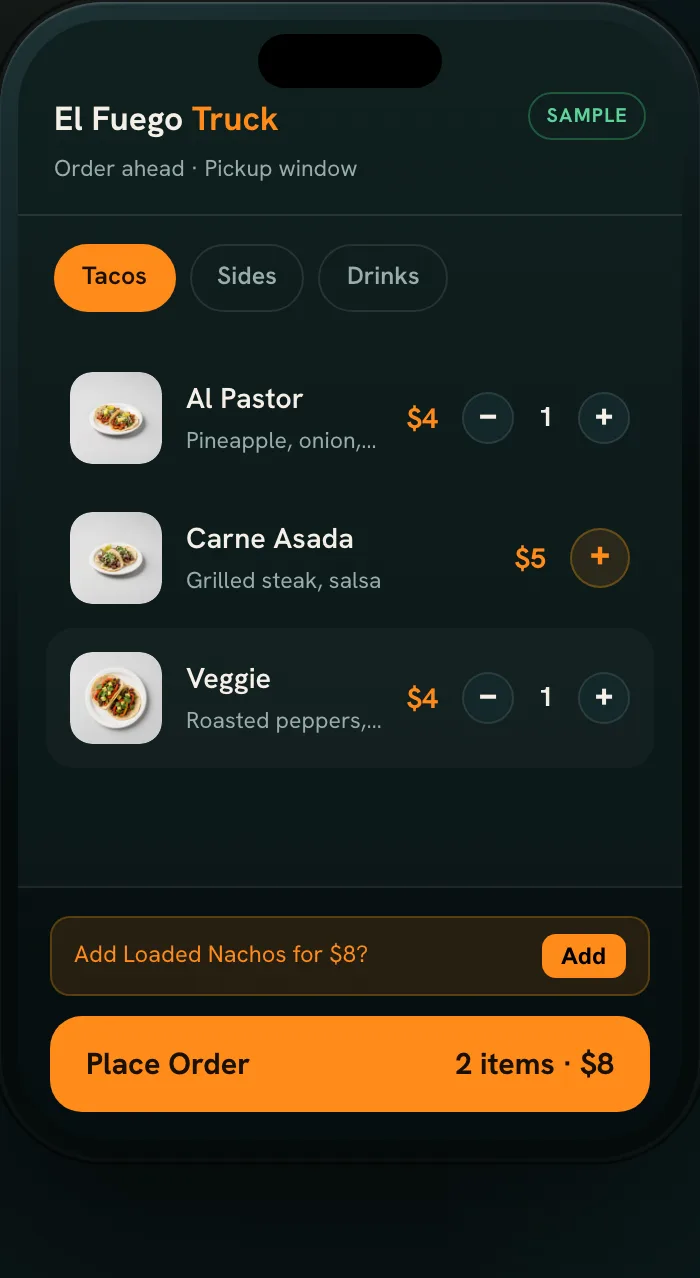
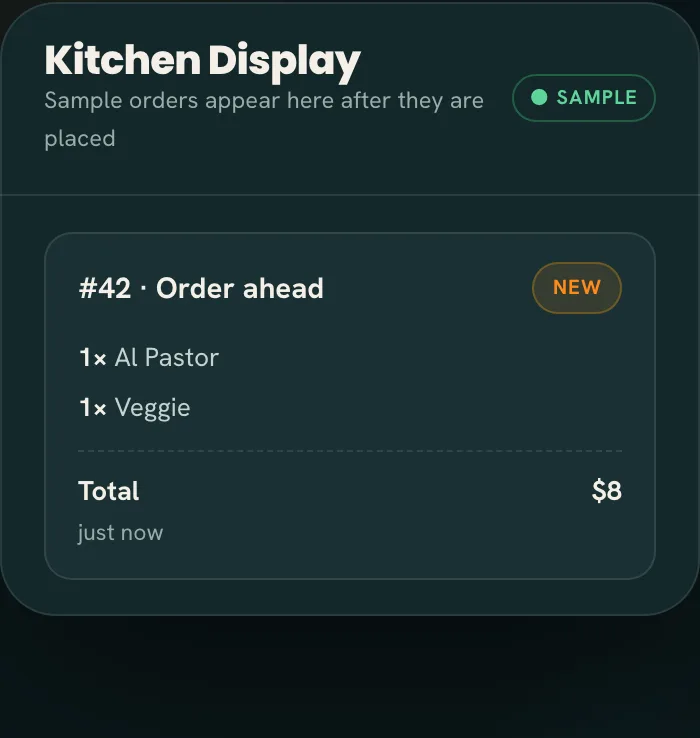
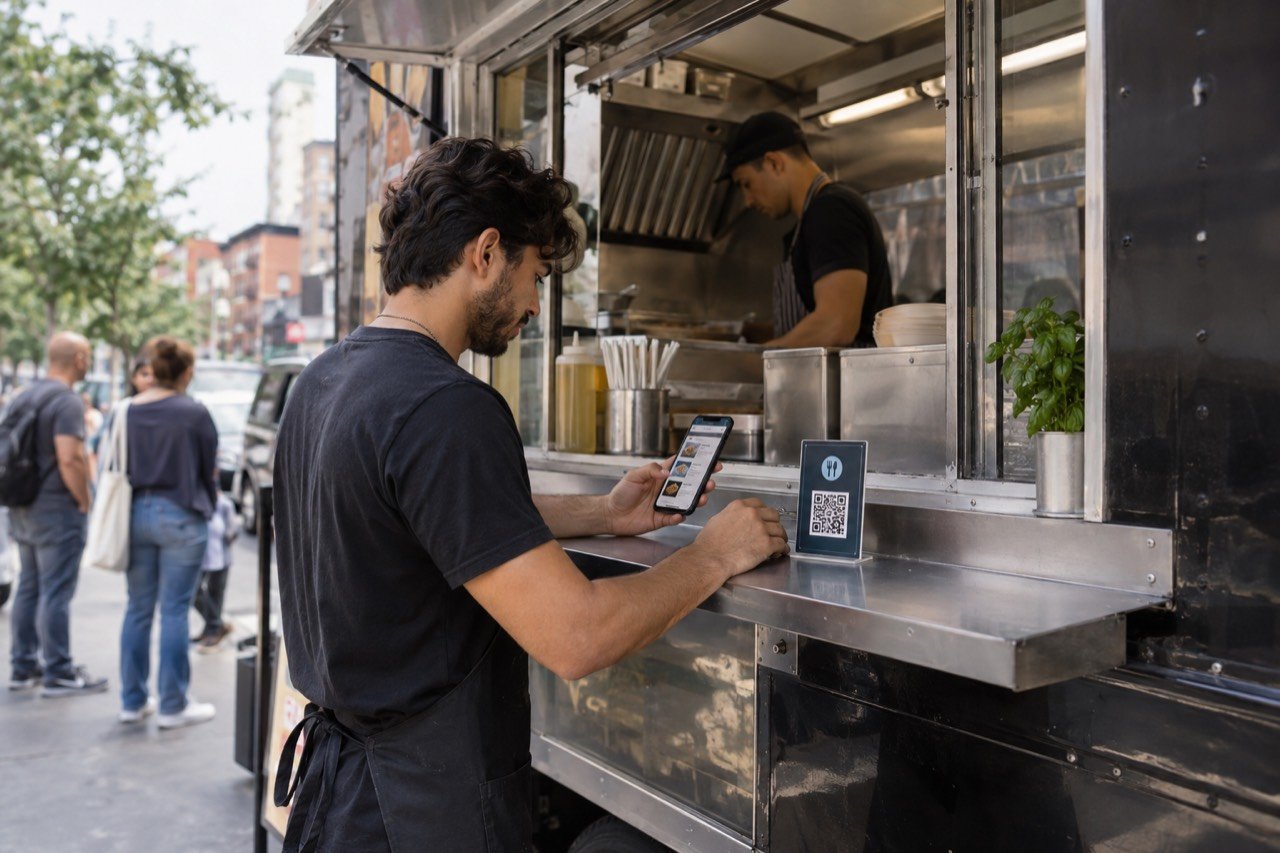
Tap or scan from the line
Phones with NFC tap the display beside the window or on the menu board; any phone camera scans its QR code.
Order while waiting
The menu opens in the phone browser, no app download and no account, so "no onions, extra sauce" arrives typed out instead of shouted over traffic.
Cook, then hand off
The ticket chimes onto the phone or tablet in the truck. The cook works from a list, and an order-ready alert calls the guest to the window.
The displays that work best sit beside the window, on the menu board and on a sandwich board at the back of the line, so the last person in the queue can scan the QR code without squeezing forward. Each carries an NFC tag and a printed QR code, needs no power or wiring, and travels with the truck. NFC is the quickest route at a curb: one tap, no camera to aim into the midday glare. The QR code covers every other phone, and both open the same menu, no app either way.
The crew uses the Tap2Order staff portal, a web app that runs on the phone or tablet you already carry; add it to the home screen and there is no terminal to lease. Tickets move New, In progress, Ready. When the brisket runs out, one tap takes it off the menu guests see, and if the flat-top is full, staff pause phone ordering until it clears. Guests order over their own phone data, so you don't need to offer Wi-Fi, but the device in the truck needs its own connection: test it at the spots you work most before your first busy day. See the full staff portal and features list or what it looks like for staff.
Plan the pickup, not just the menu. Phone orders and window orders run in one sequence your cook trusts, and on the onboarding call you decide how finished orders are called: by name, by number, or by the order-ready alert alone.
See the line-to-window flow in the sample →Built for how busy trucks actually run.
A long line is a food truck's biggest competitor. An NYC office worker on a short break sees ten people ahead and keeps walking. This is what changes when the line can order before it reaches you.
- The walkaway orders anyway. The guest at the back of the line orders from the sidewalk display with no app and waits for their name instead of leaving.
- One window, no longer one bottleneck. The person who used to take the order, answer questions and hand food out now mostly hands food out, and the grill never waits on a conversation.
- Orders heard right over the generator. Every modifier and sauce is on the ticket in writing, so a remade platter stops costing you food and minutes at 12:30. More on order accuracy.
- Pickup times you can keep. On Growth Engine, the Algorithm fires each item by its prep time, so a quick drink and a slow platter on one order are ready together. Guests see an honest pickup time, and new orders slow automatically when the grill is maxed.
- Stock that fits the truck. With limited storage on board, knowing what's left matters more than in any kitchen. On Growth, every order deducts its recipe, low-stock alerts arrive before service, and marking one ingredient out pauses every dish that uses it. Nightly suggested orders are sized to your supplier's packs, so you buy for tomorrow's spot, and waste shows in dollars, by reason.
- Prep for the day and the spot. The sales dashboard shows what sold by day and hour. On Growth, heatmaps turn into a prep list per day and corner, menu performance shows which items earn their space on a short menu, and upsells offer a drink or a side at checkout, with what they added in your reports.
- Regulars come back faster. On Growth, one-tap reorder brings back the usual, customer patterns show who returns to which spot and what they spend, and a weekly owner report sums up the week.
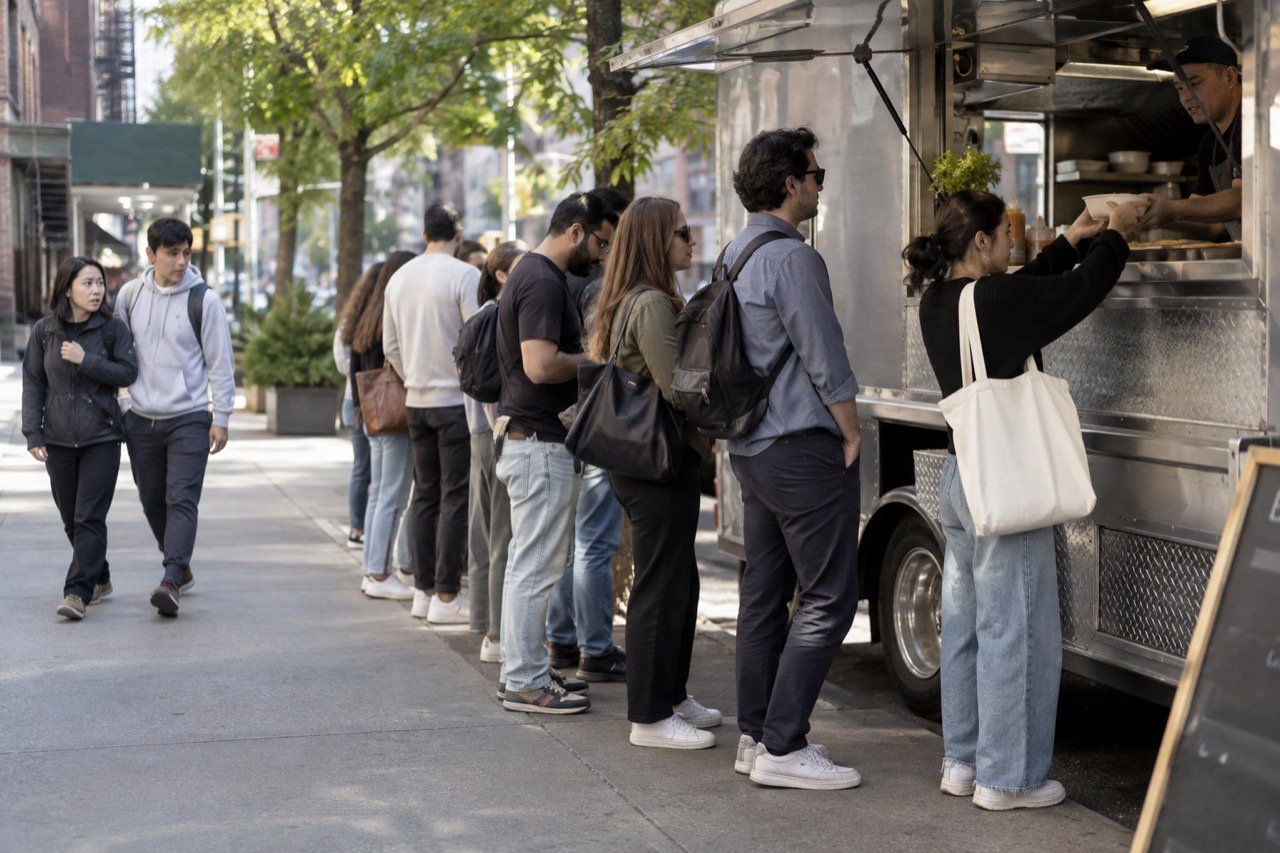
Built for every kind of NYC food truck.
The ordering system is the same on every truck; what changes is where the displays go and which features matter. The rows below are examples by type of truck.
| Truck type | Where tap-to-order helps | Plan to look at |
|---|---|---|
| Taco truck | Fillings and salsas arrive written out during the lunch peak. | Essential Core; Growth Engine for pacing and honest pickup times |
| Halal cart or truck | Sauces and sides are clear before the platter is built, and guests read the menu in their own language. | Growth Engine for multi-language menus |
| Coffee truck | Milk, size and syrup choices arrive in writing, so the morning window is mostly handoff. | Essential Core; Growth Engine for pastry upsells |
| BBQ or platter truck | Sold-out items come off the menu the moment they run out. | Growth Engine for stock that counts itself; Pro Command for a two-week forecast, so you buy for tomorrow's spot, not last week's |
| Dessert or ice cream truck | A parent scans the QR code and orders for the whole family from one phone, no app, with every topping written out. | Essential Core |
| NYC market or street fair stall | Guests order from NFC displays while they browse, and the crew keeps cooking. | Essential Core plus an extra display pack |
Running a counter instead of a window? The quick-service guide covers that setup, and the café guide covers coffee service.
Another way to order, without another hire.
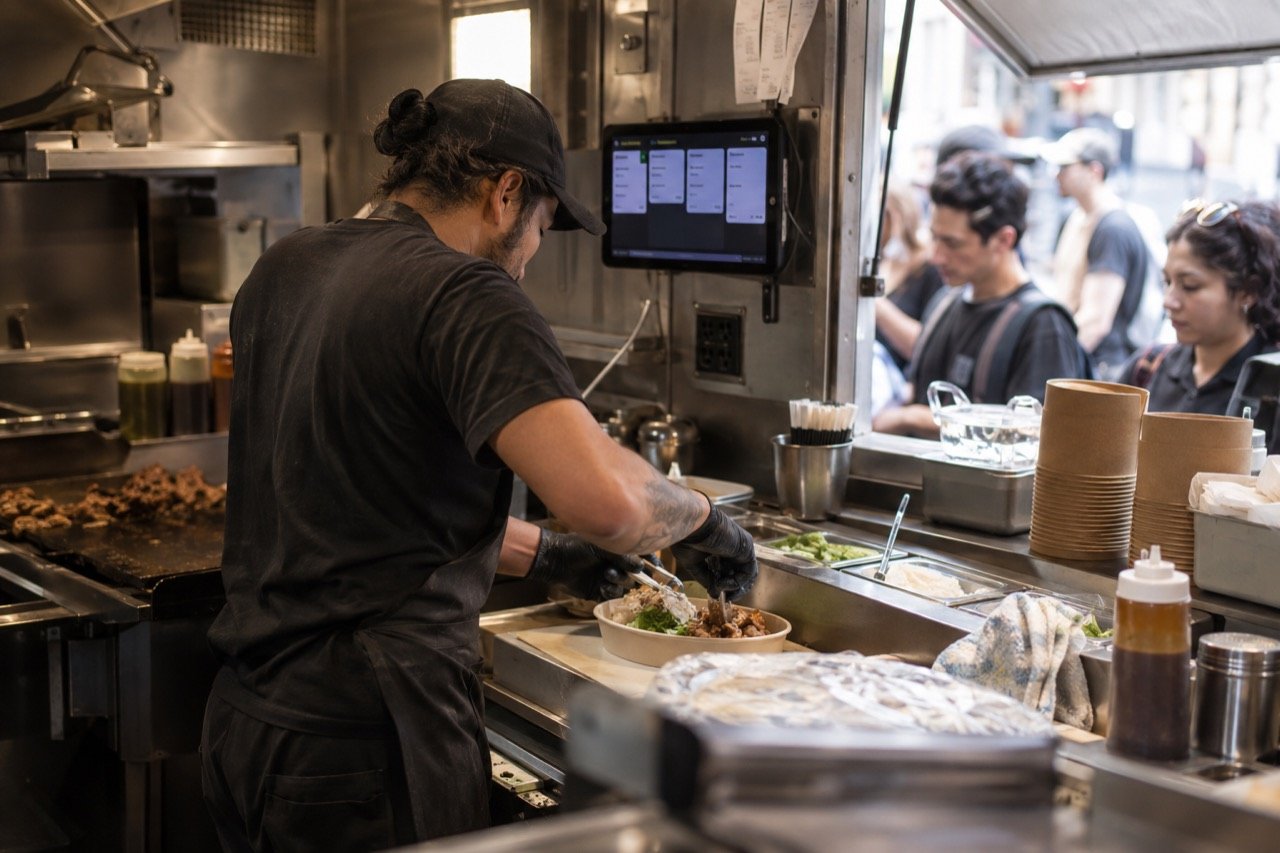
Most trucks can't fit a third person inside, and paying one for a two-hour lunch rarely adds up. A display on the truck gives the line its own way to order, so the two people you have spend the rush on the grill and the window. And the competition is real: New York City's restaurants and bars employ nearly 280,000 people across more than 23,000 establishments, according to industry research from the Office of the New York State Comptroller (2026), and every one of them wants the same lunch crowd. What truck owners ask first:
- "Some customers pay cash or want to talk." Serve them at the window as you do now. Tap-to-order is an extra lane for guests who are ready, not a replacement for the face at the window.
- "What about tips?" Guests can add a tip at checkout, and a daily tips report shows what the crew took in for payroll. How you share it stays your call.
- "I already have a card reader." Keep it. Tap2Order runs next to what you use today on the phone or tablet you carry. Guest card payments on phone orders go through your own payment processor at its standard rates, set up during onboarding.
- "People hate QR menus." They hate being forced onto one. The window stays open; the NFC and QR display is for guests who would rather order from the line than wait to reach it.
- "Will people download an app on the sidewalk?" They don't have to. A tap or a scan opens the menu in the browser, with no app and no account.
- "What if my signal drops?" An alert tells you when the order screen goes offline, so you check the connection before a guest has to tell you. Phone ordering can be paused in one tap while you sort it out.
- "We move around." The displays point to your ordering site, not a street address, so they work at every corner and market you park at.
Food truck pricing and the launch guarantee.
| Plan | Monthly | What it does for a truck |
|---|---|---|
| Essential Core | $297 | Takes every order from the line: NFC and QR ordering with no app, a live kitchen display with a chime, sold-out and pause in one tap, order-ready alerts, tips at checkout with a daily tips report, a sales dashboard, and the in-person NYC setup. Email support. |
| Growth Engine (Recommended) | $597 | Sells more and wastes less: upsells and timed happy hours, pacing so each order is ready together, stock that counts itself, buy-what-you-sell ordering sized to your supplier's packs, waste in dollars, menu performance, a prep list from your heatmaps, customer patterns, a weekly owner report and multi-language menus. Priority email support. |
| Pro Command | $997 | Runs a fleet of 2 to 5 trucks on numbers: each truck compared on sales, waste, food cost and labor, a two-week forecast by weekday behind every order, live food cost %, staffing by hour, one menu with local specials, a refund and void audit, a daily owner report and exports to your books. Priority phone support and dedicated onboarding. |
| Group HQ | Custom | 6 or more trucks or a franchise: brand standards and one roll-up across every location. Book a call. |
- Launch guarantee (NYC): "Live within 7 days of your onboarding call, once we have your menu and venue details. If we miss it, your next month is free." Day one is the onboarding call, not the day you buy.
- Setup fee: $599, waived for trucks that sign by December 31, 2026. Waived, not deleted: cancel during the first quarter and it becomes payable with that quarter's remaining monthly fees.
- Term: a 3-month initial term billed monthly, then quarter to quarter. To stop, give 30 days' notice ahead of a quarter's end; once the first quarter is done, stopping costs nothing. Annual prepay gives 2 months free.
- Commission: none, whatever the line does.
- A second truck: counts as an additional location, $149/month on Core or $299/month on Growth; Pro includes up to 5.
- Extras: 10 more NFC and QR displays for $149 one-time; an extra on-site training visit in NYC for $149; the AI phone ordering agent, which answers calls and takes orders when the crew can't pick up, $149/month on any plan.
Example, not a result: Essential Core is about $10 a day. One $12 platter a day from a guest who would have walked past the line pays for it. Check the sum against your own ticket and your busiest spot. See full pricing
Food truck ordering in NYC, set up in person at your window.
- Onboarding call. We learn your menu, how you run service and how handoff works at your window.
- In-person setup. A uniformed Tap2Order team member programs and places the NFC and QR displays on the truck and gives your crew a quick demo.
- Crew training. The staff portal, plus exactly what your team needs to know when the line is twenty deep.
- Display and poster. A designer-made display and a poster you keep, pointing guests to your ordering site.
Every NYC plan includes all four; for a second window or market days, add a display pack. The how it works guide covers the timeline, the interactive demo is a sample you can try with no signup, and you can meet the founder, Dan, before you book. Where New York trucks park shapes the setup:
- Midtown and FiDi lunch curbs in Manhattan: short office breaks and long lines, where ordering from the line matters most. See Manhattan tap-to-order.
- Brooklyn markets and weekend events: crowds browse several stalls before they choose. See Brooklyn tap-to-order.
- Queens and the Bronx: some of NYC's most mixed-language crowds, where multi-language menus help. See Queens and the Bronx.
- Staten Island: neighborhood stops and weekend events across the borough, where NYC regulars know your truck by name. See Staten Island tap-to-order.
Questions before you book? Call or text (302) 463-0442 or email MoreARR@TapToOrder.co.
Food truck owner questions, answered.
Can people order before they reach the truck?
Yes. They tap the NFC display or scan its QR code from anywhere in the line and order on their phone before they reach the window. With no app to install, anyone in the queue can do it.
Will the line have to download an app?
No, and on a sidewalk nobody would. A tap on the NFC display or a scan of the QR code opens your menu in the phone browser, with no app download and no guest account.
What do we need in the truck?
Nothing new. The staff portal runs on a phone or tablet you already have, which becomes the truck's kitchen display; it needs a data connection. The printed displays are included.
We move between locations. Do the displays still work?
Yes. At a new corner or a market in any NYC borough, guests still tap, order and collect at the same window. Most trucks keep the displays on the truck, beside the window or on the menu board.
Can we mark an item sold out in the middle of service?
Yes, in one tap from the staff portal. It comes off the menu guests see straight away, and you can change prices or add a daily special the same way. If the morning delivery comes up short, mark the item out before service and the first guests of the day never ask for it.
Can the menu be shown in other languages?
Yes, on Growth Engine and Pro Command. That helps at NYC stops where the lunch line speaks several languages.
Book 15 minutes. Get a plan for your truck.
Tell us your spots and your busiest hour. We'll show you where the displays go and how pickup works at your window.